Your Brio water dispenser displaying the E02 error code signals a water leakage fault in the base cabinet. This safety feature stops operation to prevent electrical hazards when moisture touches the internal gray sensor. Most users panic and call for repairs immediately, yet the issue is often just residual water from a spill or condensation.
You can resolve this problem at home by drying the sensor area and performing a specific system reset. This guide details how to locate the leak sensor, dry the unit safely, and reboot the system to clear the code. Follow these steps to restore your dispenser without needing professional service or costly parts.
Locate the Gray Leak Sensor in Your Cabinet
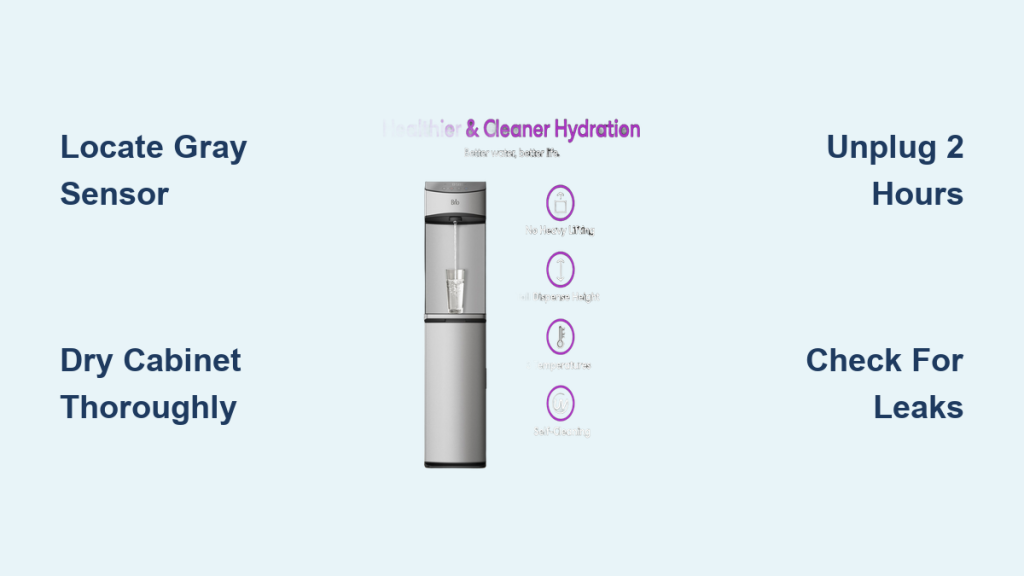
The E02 error code activates when water bridges the contacts on a small gray sensor inside the bottom cabinet. On models like the CLBL740SC, this component sits in the back corner of the compartment where the water bottle rests. Understanding its location helps you target your cleaning efforts effectively rather than guessing where moisture might be hiding.
Identify Sensor Position and Function
The sensor works by detecting conductivity between two metal contacts. Even a few drops from a bottle change or cleaning residue can trigger the circuit. You must find this gray component to ensure it is completely dry before attempting a reset.
Inspect Cabinet Floor for Moisture Sources
Open the bottom door and look for puddles, damp spots, or water trails. Check the bottle adapter and probe for active dripping or improper sealing. A warped cap or damaged O-ring often causes slow leaks that eventually activate the sensor.
Dry the Sensor and Cabinet Thoroughly
Removing surface water is the first critical step to fixing the Brio water dispenser E02 error code. You must eliminate all visible moisture before proceeding to active drying methods. Rushing this step often leads to the error returning immediately after reboot.
Wipe Area with Clean Dry Cloth
Use a lint-free cloth or paper towel to dab the entire base cabinet floor. Focus gently on the area around the gray sensor without scrubbing hard enough to damage components. Ensure no water remains under or beside the sensor housing.
Use Cool Air to Evaporate Residue
Set a hair dryer to the COOL setting and blow air over the sensor for 2–3 minutes. Never use heat as it can warp plastic parts or damage the sensor housing. Alternatively, run a small fan near the open cabinet for 30–60 minutes to remove microscopic moisture.
Wait Required Drying Time Before Reset
Patience is essential when clearing the E02 error code. The system will not reset if any trace moisture remains on the sensor contacts, even if the area looks dry to the naked eye. Skipping this waiting period is the most common reason for failed troubleshooting attempts.
Allow One to Six Hours for Evaporation
Leave the cabinet door open and the unit unplugged for at least 1 hour. Extend this time to 4–6 hours if you noticed significant spills or heavy condensation. If ice was involved in the leak, wait 12–24 hours to ensure all melted water has fully evaporated.
Confirm Complete Dryness Visually and Tactilely
Check that the sensor and surrounding floor feel completely dry to the touch. Verify there is no dampness under the bottle platform or condensation on cabinet walls. Run your finger gently across the sensor contacts to ensure no coolness or stickiness remains.
Perform Full System Reboot Sequence
Once the unit is bone dry, you must execute a precise power cycle to clear the error memory. The control board retains the fault code until it undergoes a complete discharge and reset sequence.
Turn Off All Back Panel Switches
Ensure the Heating, Cooling, and Night Light switches on the rear panel are set to OFF. Leaving these on during the reset can cause partial power cycling that fails to clear the E02 error code. These switches control internal components independently and must be off for a clean slate.
Unplug Unit for Two Hours
Disconnect the power cord from the wall outlet and leave it unplugged for exactly 2 hours. This duration allows internal capacitors to fully discharge and resets the control board memory completely. Shorter waits often fail because residual power keeps the error logged in the system.
Plug In and Purge Air from Lines
Plug the unit back into a grounded 115V outlet and immediately dispense water from all three taps. This step purges air from the lines and primes the pump for smooth operation. Only after purging should you turn the Heating and Cooling switches back to ON.
Diagnose Persistent E02 Errors

If the Brio water dispenser E02 error code returns after drying and rebooting, a hardware issue may exist. You need to investigate potential internal leaks or component failures that simple drying cannot fix.
Check Internal Tubing and Connections
Examine the intake hose connecting the bottle to the pump for loose fittings. Ensure tubing is securely seated on the probe head and pump nozzle until you hear a click. A loose hose can drip slowly into the cabinet, reactivating the sensor over time.
Test for Frozen Reservoir Issues
A frozen cold tank can overflow as it thaws, spilling water onto the sensor again. Look for ice around the spigot or a hard-to-press cold water button. Turn off cooling and unplug the unit for 12–24 hours to let ice melt completely before restarting.
Evaluate Sensor or Control Board Failure
If the cabinet is bone dry and the error persists, the leak sensor or control board may be defective. These components might send false signals even without moisture present. At this stage, you should contact Brio support with video proof and your serial number.
Prevent Future E02 Alerts
Preventing the E02 error code requires maintaining proper airflow and keeping the base cabinet dry. Simple habits can stop false alarms from disrupting your water supply.
Maintain Eight-Inch Clearance Behind Unit
Position the back of the dispenser at least 8 inches from the wall to ensure proper airflow. Poor ventilation causes condensation buildup that can drip into the base and trigger the sensor. This clearance also prevents compressor overheating.
Wipe Spills Immediately After Bottle Changes
Always check for drips when replacing the water bottle and wipe the cabinet floor dry. Make this part of your routine to prevent accidental spills from activating the leak sensor. Consider placing an absorbent mat in the cabinet to catch minor drips.
Avoid Overcooling Settings in Cold Rooms
Setting the cold temperature to C3 increases freezing risk, especially in cooler environments. Use C2 as the default setting unless you specifically need very cold water. Avoid leaving the unit in rooms below 41°F to reduce stress on the cooling system.
Understand Related Error Codes
Differentiating between error codes helps you apply the correct fix for your specific problem. While E02 indicates leakage, other codes point to different system issues.
Differentiate E02 from F6 and F7 Codes
The F6 code also indicates moisture on the leak sensor and requires the same drying procedure as E02. The F7 code signals a system malfunction often related to humidity or control board glitches. An F7 code may require a reboot even if no visible moisture exists.
Reset Filter Alerts Separately
A beeping sound or filter icon does not mean you have an E02 error code. To reset filter alerts, unplug the unit, hold the Filter Reset button, plug it back in while holding, and release after 3–5 seconds. This clears filter memory without affecting leak sensors.
Know When to Contact Support
Some situations require professional assistance beyond basic troubleshooting. Knowing when to call prevents wasted time and potential safety risks.
Gather Required Documentation for Claims
Have your serial number, proof of purchase, and a video of the error ready before calling. Brio Customer Service needs these details to evaluate your claim efficiently. Include photos of the unit and cabinet area to show the condition of the sensor.
Assess Repair Versus Replacement Costs
Most issues cost under $20 to fix with simple parts like a 12V pump. A new dispenser costs approximately $300, making DIY repair economical for most failures. Replacement is only recommended if the unit is out of warranty or has multiple component failures.
Frequently Asked Questions About Brio E02 Error Code
What does the E02 error code mean on a Brio dispenser?
The E02 code indicates a water leakage fault where moisture has touched the internal gray sensor. It is a safety feature designed to prevent electrical hazards and water damage. Most cases result from spills during bottle changes rather than major internal leaks.
How long must I wait before resetting the E02 error?
You must leave the unit unplugged for exactly 2 hours to ensure the control board fully resets. Additionally, allow at least 1 hour for drying, or up to 6 hours for significant spills. Rushing this process often causes the error to reappear immediately.
Can I use a hair dryer to fix the E02 error code?
Yes, but only on the COOL setting for 2–3 minutes. Never use heat as it can warp plastic parts or damage the sensor. The goal is to evaporate microscopic moisture without applying thermal stress to components.
Why does the E02 code return after drying the sensor?
The code returns if hidden moisture remains, an active internal leak exists, or the reservoir is frozen. Check tubing connections for loose fittings and ensure the cold tank is not overflowing due to ice. If the unit is bone dry, the sensor or board may be defective.
Is the Brio E02 error covered under warranty?
Yes, defects in material and workmanship are covered for 1 year from the date of purchase. However, improper installation or failure to perform routine maintenance may void coverage. Contact Brio support with your proof of purchase to verify your specific situation.
Key Takeaways for Fixing Brio Water Dispenser E02 Error
The Brio water dispenser E02 error code is typically a false alarm caused by minor moisture on the leak sensor. By locating the gray sensor, drying the cabinet thoroughly, and performing a full 2-hour power reset, you can resolve the issue without professional help. Prevent future occurrences by maintaining proper airflow and wiping spills immediately.
Start by unplugging your unit and drying the base cabinet today to restore normal operation. If the error persists after following these steps exactly, gather your documentation and contact Brio support for further assistance. Proper maintenance ensures your dispenser delivers safe, clean water for years to come.