Your Brio water dispenser starts beeping unexpectedly, leaving you unsure if the unit is broken or simply needs attention. This brio water dispenser beeping issue is rarely a random glitch but a specific alert designed to protect your machine from damage.
Whether the sound signals a needed filter reset or warns of a detected leak, immediate action prevents water shutoffs or potential flooding. This guide explains exactly how to identify the cause and stop the noise in under five minutes without calling a technician.
Decode the Beep: Filter Alert vs Leak
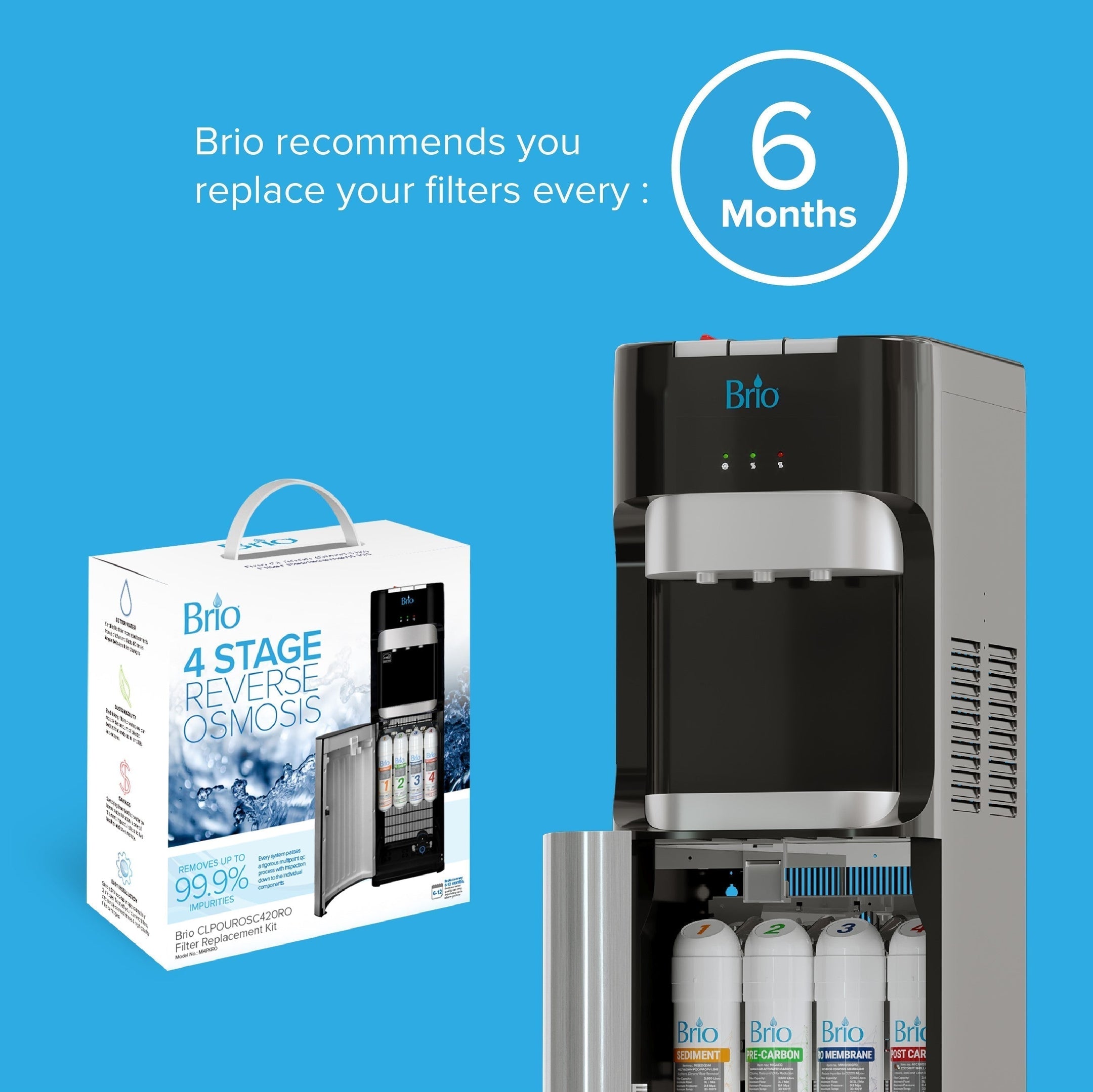
The first step to silence is identifying why your Brio water dispenser is beeping in the first place. The unit uses two distinct alert systems that produce similar sounds but require completely different solutions.
One system tracks maintenance needs while the other monitors safety hazards to prevent property damage. Distinguishing between these two prevents wasted effort and ensures you apply the correct fix immediately.
Identify the Triggering Cause
You must look at the display panel to determine the root of the problem before attempting any repairs. Brio dispensers provide specific visual cues that pair with the auditory alarm to guide your troubleshooting.
- Flashing exclamation mark: Indicates a filter replacement alert or reset requirement.
- “F6” error code with flashing mark: Signals the overflow sensor has detected moisture.
These issues are not interchangeable since a filter alert will never trigger an F6 code. Conversely, a leak warning will not mimic a simple filter reminder message on your screen.
Check Display and Sound Pattern
Stand directly in front of your unit and observe the display panel closely for specific symbols. You need to confirm if the screen shows only a blinking exclamation mark or if the F6 code is present.
If you see only the exclamation mark, your filter system needs a hard reset even if you recently changed the cartridge. If the F6 code appears, moisture is in the base and the system has shut down water flow as a safety measure.
Fix Filter Alert Beeping in 5 Steps

A common mistake users make is pressing the reset button while the unit remains powered on. This approach rarely works because the Brio filter alert runs on a memory-based system requiring a hard reset during power-up.
You must follow a specific sequence to clear the internal log that tracks filter life. Without this exact process, the system assumes the old filter is still installed regardless of physical replacement.
Perform the Correct Reset Sequence
Execute this precise sequence to clear the filter alert and stop the brio water dispenser beeping permanently. This method forces the computer to recognize the new filter cartridge immediately.
- Unplug the dispenser completely from the wall electrical outlet.
- Press and hold the filter reset button located on the front or side panel.
- Plug the unit back in while continuing to hold the reset button down.
- Keep holding the button for 5–10 seconds after power returns to the unit.
- Release the button to stop the beep and make the exclamation symbol disappear.
Why Standard Reset Fails
Many users report frustration when repeatedly pressing the reset button with no result while the machine is running. The button only functions during the boot-up phase to send a signal to the memory module.
Think of it like restarting a computer where you need to reboot to clear cached data effectively. Pressing it while the unit is running sends no signal to the memory module responsible for the alert.
Prevent Recurring Filter Alerts
Beeping may return days later if the filter is not fully seated in its housing. Listen for a distinct click when inserting the cartridge to ensure it is locked in place properly.
- Ensure the filter is fully seated before closing the compartment door.
- Use only genuine Brio replacement filters to avoid sensor recognition issues.
- Hold the reset button for the full 10 seconds during the power cycle.
Always use original Brio replacement filters to avoid compatibility issues with the internal sensor system. Make the power-cycle reset part of your routine after every single filter change.
Stop F6 Error Beeping: Dry the Sensor
When your Brio displays the F6 code, the overflow sensor has detected moisture in the base of the unit. This triggers a safety lockout where water flow stops and the alarm beeps continuously to warn you.
Immediate action prevents water damage to your floor and restores normal function quickly. You must address the moisture source before the system will allow operation again.
Unplug and Locate the Overflow Sensor
Start by unplugging the unit from the power source to ensure safety while working near water. Although the sensor uses low voltage, working with electricity and moisture always demands caution.
The overflow sensor sits in a recessed cavity at the bottom of the cooler base. It is a small component, usually black or gray, with a wire lead and a single screw holding it in place.
Remove and Dry the Sensor Completely
Grab several paper towels and follow these steps to eliminate the moisture triggering the alarm. Thorough drying is essential because even a single drop can reactivate the system.
- Wipe the sensor cavity thoroughly to reach corners where water hides.
- Unscrew the single mounting screw and gently lift the sensor out.
- Dry the entire sensor body with special focus on contact points and wiring.
- Inspect for corrosion or residue and lightly clean with a dry cloth if needed.
- Reinsert the sensor and tighten the screw securely to ensure proper seating.
Ensure no moisture remains on the component or in the cavity before plugging the unit back in. A single drop of water can cause the alarm to trigger again immediately.
Restore Power and Verify Fix
Plug the unit back into the electrical outlet to test if the issue is resolved. If you dried the area correctly, the F6 code vanishes and normal operation resumes within seconds.
No button pressing is needed because the system auto-resets once the sensor reads dry. If the F6 error returns immediately, moisture is still present or a hidden leak persists in the lines.
Prevent Future Beeping Issues
The overflow sensor is highly sensitive by design to catch leaks early before they cause major damage. This sensitivity means minor spills or misaligned glasses can set it off accidentally.
Understanding how to avoid false triggers helps maintain a quiet and functional dispenser in busy environments. Simple habit changes can significantly reduce the frequency of these alerts.
Avoid False F6 Triggers
Accidental splashes are the number one cause of F6 errors in high-traffic areas rather than actual leaks. You can prevent these false alarms by ensuring proper usage techniques by all users.
- Always center glasses directly under the spout before dispensing water.
- Use the guide mark on the drip tray to align containers correctly.
- Wipe up spills immediately after dispensing to prevent pooling.
- Train office staff or household members on proper glass placement.
Inspect for Hidden Leaks
If the F6 error returns repeatedly despite thorough drying, you must investigate deeper for structural issues. A slow drip inside the chassis can pool in the base and trigger the sensor constantly.
- Check filter housing seals for cracks or warping that allow drips.
- Examine internal water lines for brittleness or signs of seepage.
- Look under the unit for water stains or condensation trails.
Replace worn parts before they fail completely to avoid continuous interruptions. Regular inspection helps you catch small issues before they become major problems.
Know the Visual and Audio Cues
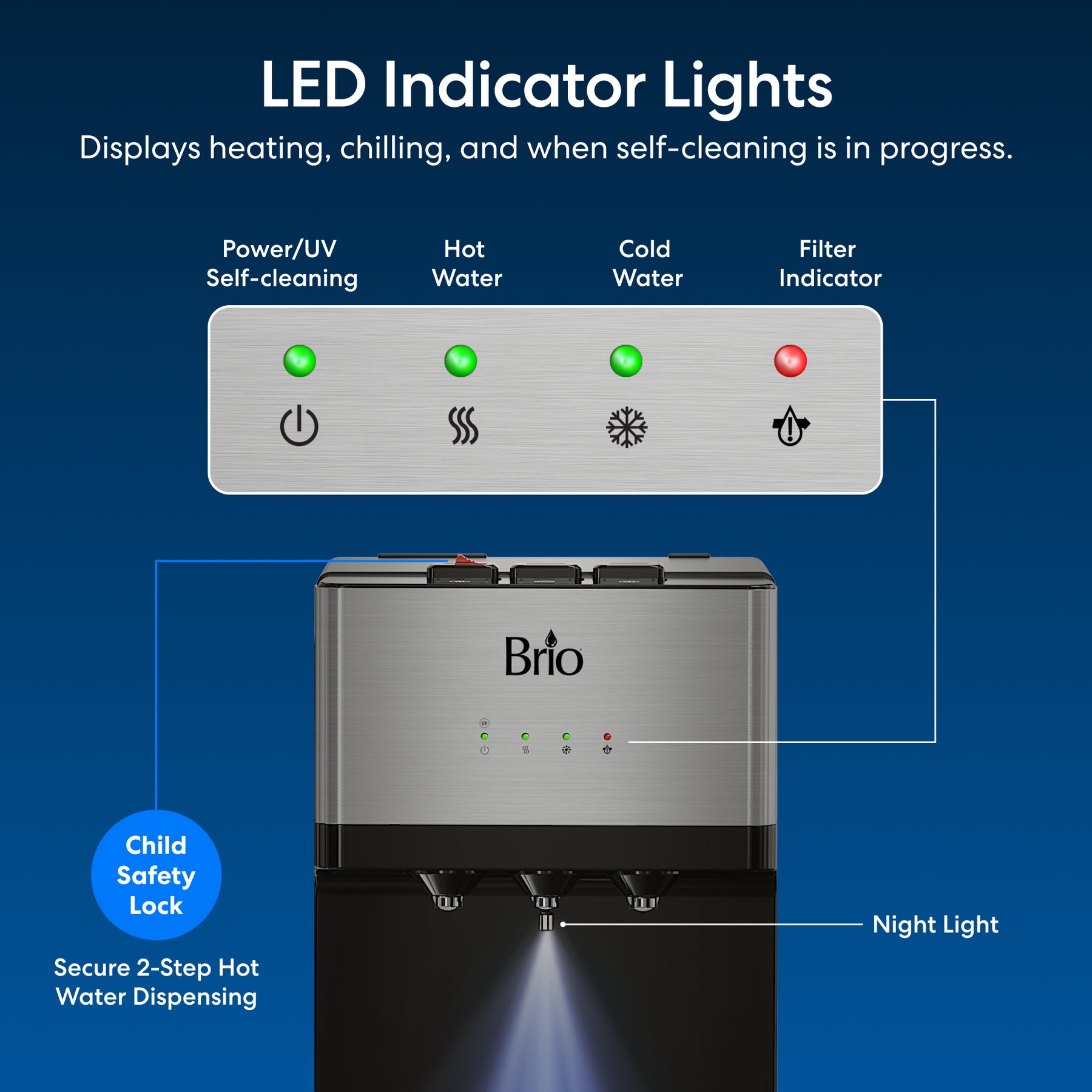
Brio uses a simple but effective signaling system to communicate the status of your dispenser. Recognizing these patterns quickly allows you to take the right action without confusion.
| Alert Type | Display | Sound | Action Required |
|---|---|---|---|
| Filter Change | Flashing ! | Continuous beep | Reset via power cycle |
| F6 Overflow | F6 + ! | Continuous beep | Dry sensor and check leaks |
No other codes produce the same beep pattern on these units. If you see “F6,” treat it as a wet base issue, but if it is just the exclamation mark, treat it as a filter memory issue.
Don’t Ignore the Beep
Some users unplug the unit and leave it off to stop the noise temporarily. This is not a fix but merely a delay since the alert will return the moment power is restored.
Worse, if it is an F6 error, you are bypassing a critical safety feature meant to prevent flooding. Address the cause directly rather than just silencing the symptom.
Use Genuine Parts for Reliable Performance
Brio’s filter system relies on precise sensor alignment and memory tagging to function correctly. Aftermarket filters may fit physically but often lack the correct internal chip or seal design.
Using non-genuine parts can lead to failure to register installation or poor sealing that causes drips. Stick with original equipment to ensure accurate system feedback and compatibility.
Why OEM Filters Matter
Genuine Brio replacement filters ensure compatibility with the internal memory system. Deviating from original parts risks miscommunication between components, resulting in false alerts or premature shutdowns.
- Prevents failure to register installation in the memory log.
- Ensures proper sealing to avoid drips that trigger sensors.
- Eliminates persistent beeping after a reset attempt.
Warranty and Longevity Protection
Installing non-OEM parts can void your warranty and compromise the integrity of the unit. Manufacturers design sensors and filters to work as a closed ecosystem for maximum reliability.
Protect your investment by sticking with original equipment for all replacements. This practice ensures your dispenser runs smoothly and safely for years to come.
When to Seek Professional Help
Most beeping issues are user-fixable with the steps outlined in this guide. However, persistent problems after following all protocols may indicate deeper internal damage.
If you have followed all steps and the problem persists, it may be time to contact support. Professional diagnosis can save you time and prevent further damage to the unit.
Signs of Internal Damage
Look for specific signs that suggest a component failure beyond simple maintenance needs. These indicators often require specialized tools or parts to resolve effectively.
- F6 returns within minutes of drying: Indicates a possible cracked tubing or failing pump seal.
- Filter alert won’t clear: Suggests a faulty reset button or control board issue.
- Beeping with no display: Points to an electrical malfunction or damaged circuitry.
Keep Records of Repairs
Document each filter change and reset performed to track the history of your unit. Note dates, part numbers, and any recurring symptoms to help professionals diagnose intermittent faults faster.
This history confirms you have followed proper maintenance protocols if you need warranty service. Detailed records help technicians identify patterns that single incidents might hide.
Frequently Asked Questions About Brio Water Dispenser Beeping
Why does my Brio dispenser keep beeping after I changed the filter?
The beeping continues because the internal memory was not reset using the power-cycle method. You must unplug the unit, hold the reset button, plug it back in, and hold for 5-10 seconds to clear the alert.
What does the F6 code mean on my Brio water dispenser?
The F6 code means the overflow sensor has detected moisture in the base of the unit. This triggers a safety lockout that stops water flow and sounds an alarm until the sensor is dried.
How do I stop the beeping on my Brio water cooler?
Identify if the cause is a filter alert or an F6 error, then apply the specific fix for that issue. Filter alerts need a power-cycle reset, while F6 errors require drying the overflow sensor.
Can I ignore the beeping if I don’t see any water leaking?
No, you should not ignore the beeping as it indicates a system alert or safety hazard. Even without visible leaks, moisture may be trapped in the sensor cavity requiring immediate drying.
Why won’t the reset button stop the filter alarm?
The reset button only works during the boot-up sequence when the unit is plugged in. Pressing it while the machine is running will not send the signal to the memory module to clear the log.
Key Takeaways for Stopping Brio Water Dispenser Beeping
Brio water dispenser beeping is a smart alert system designed to protect your unit and property. By distinguishing between filter alerts and F6 overflow errors, you can apply the correct fix quickly. Use the power-cycle reset for filter issues and thoroughly dry the sensor for F6 codes.
Regular maintenance with genuine parts and proper glass placement prevents most future alerts. Addressing these warnings immediately ensures your dispenser remains a reliable source of clean water.