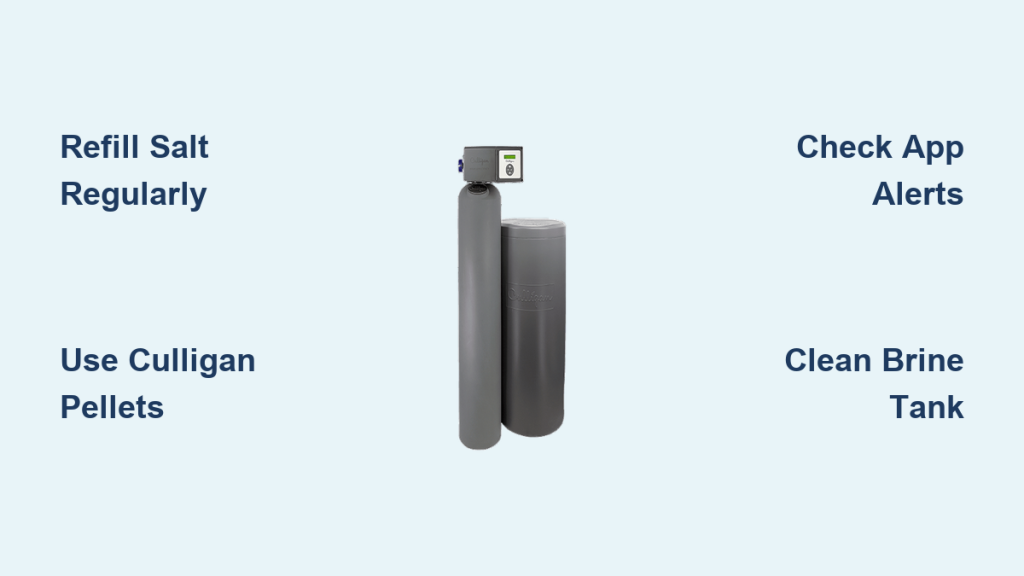
Hard water leaves stubborn spots on dishes, makes soap difficult to lather, and often causes dry, itchy skin. A Culligan water softener eliminates these issues by removing calcium and magnesium through ion exchange. However, you must know how to use a Culligan water softener correctly to maintain peak efficiency.
This guide explains exactly when to refill salt, how to interpret digital displays, and ways to prevent common problems like salt bridging. You will learn to manage your system using the Culligan Connect app and perform essential maintenance tasks. Follow these steps to ensure your unit delivers soft water reliably for years.
Check and Refill Salt on a Regular Schedule

Salt is the fuel that powers your water softener regeneration cycle. Without adequate salt levels, the system cannot remove hardness minerals from your water supply. Regular inspection prevents hard water from flowing through your pipes unexpectedly.
Determine When to Add More Salt
Most households need to refill their brine tank every 2 to 4 months. This timeline varies based on four specific factors:
- The hardness level of your local water supply
- The number of people living in your home
- Daily water usage habits like laundry and showers
- The grain capacity of your specific softener model
Check your brine tank once a month to monitor levels. If you see standing water with very little solid salt remaining, it is time to add more immediately.
Follow These Four Steps to Refill Salt
-
Open the Brine Tank Lid
Lift the lid located on top of your softener unit. Release any locking mechanisms before lifting if your model has them. -
Inspect the Salt Level Inside
Look directly into the tank. If you see solid salt crystals, no action is needed yet. If you only see water or sludge at the bottom, you must add salt now. -
Pour in High-Efficiency Salt Pellets
Use only Culligan high-efficiency salt pellets. Avoid rock salt or generic brands because they create excess sludge and may void your warranty. -
Fill the Tank Completely
Pour salt until the tank is nearly full. Do not pack the salt down tightly, but fill it generously. Secure the lid back in place.
Pro Tip: Enroll in the Culligan salt delivery service to avoid heavy lifting. Technicians bring the correct salt type and refill your tank on a scheduled basis.
Monitor Your System Using the Culligan Connect App
Smart Culligan models feature app integration for real-time control from your smartphone. The Culligan Connect app transforms water softening into a fully monitored process rather than a set-it-and-forget-it task.
View Current Salt Levels Remotely
The app displays your current salt levels using data from an optional salt level monitor. If your system lacks automatic sensing, you must manually update the app after each refill. This keeps your alerts accurate and reliable.
Receive Automatic Low-Salt Alerts
Your phone receives a push notification when salt levels run critically low. This feature prevents unexpected hard water events, which is especially helpful if you travel frequently or forget monthly checks.
Track the Regeneration Countdown
The app shows “Gallons Until Regeneration” just like the onboard display. This number decreases as your household uses water throughout the day. When it hits 0, regeneration begins automatically, usually at 2:00 AM.
Engage Bypass Mode from Anywhere
You can stop the softening process temporarily using the app. Switch to bypass mode remotely for vacations, outdoor watering, or plumbing repairs. This feature saves salt and protects the system during maintenance.
Note: Not every model supports app connectivity. Check your control panel for Wi-Fi capability or consult your installer for compatibility details.
Read and Interpret Control Panel Displays

Your Culligan softener digital screen provides critical operational data even without the app. Learning to navigate these displays gives you full control over system performance.
Access the Flow Screen for Real-Time Data
Press the down arrow on your panel to view Flow. This screen shows real-time water movement in gallons per minute (GPM). Run a faucet to test it. If the number updates, your flow meter is working correctly.
⚠️ Warning: If no flow registers while water runs, regeneration will not trigger. This indicates a critical failure point. Contact a technician immediately if this occurs.
Check Gallons Until Regeneration Count
This display tracks remaining capacity before the next regeneration cycle. The system uses actual water usage data instead of a timer to determine when to regenerate.
- The count starts high, such as 1,200 gallons for medium units
- It decreases with every gallon of water used
- When it reaches 0, regeneration schedules for 2:00 AM
No manual programming is required because your softener auto-adjusts based on usage patterns.
Expert Note: Never unplug the unit during regeneration. The cycle typically lasts 1–2 hours, and interruptions can leave your home without soft water the next day.
Operate the Bypass Valve Correctly for Maintenance
The bypass valve allows water to flow around the softener entirely. Use this feature during maintenance, long absences, or when servicing home plumbing systems.
Turn the Manual Bypass Knob Properly
Locate the blue knob on the back of Aqua Essential models. Follow these directions for operation:
- Turn clockwise to enable soft water (normal operation)
- Turn counterclockwise to engage bypass mode (unsoftened water flows)
Ensure the knob turns fully in either direction. Partial turning can cause leaks or mixed water flow issues.
Know When to Use Bypass Mode
Activate bypass mode in these specific scenarios:
- Going on vacation for more than one week
- Winterizing your home for the season
- Performing plumbing repairs or replacements
- Filling pools or washing cars where softened water is unnecessary
🚫 Avoid long-term bypass use. Leaving the system bypassed for over two weeks can allow bacteria to grow in stagnant resin. You may need professional sanitization before reuse.
Prevent and Fix Common Salt Problems
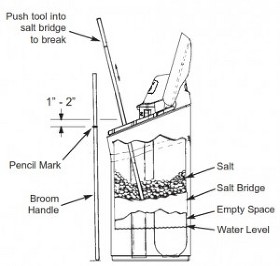
Salt-related issues can halt regeneration even with regular refills. Two common culprits are salt bridging and salt mushing. Identifying these early saves your system from damage.
Identify and Address Salt Bridging
A salt bridge forms a hard crust across the top of the salt pile. This traps air underneath and prevents salt from dissolving into brine.
Signs of bridging include:
- Water feels hard despite a full-looking tank
- Visible crust formation inside the brine tank
- Standing water at the bottom with no salt dissolution
Fix: Do not break the bridge with tools. This can damage the tank interior. Call a Culligan technician to safely collapse the bridge and clean the system.
Clear Salt Mushing Issues
Salt mushing occurs when dissolved salt recrystallizes into thick sludge at the tank bottom. This blocks the brine draw mechanism and prevents regeneration.
Common causes include:
- Using low-quality salt products
- Frequent short regeneration cycles
- Poor water circulation within the tank
Solution: Drain and clean the brine tank every few years. Schedule a professional cleaning if mushing recurs frequently.
Prevention Tip: Use only high-purity Culligan salt pellets. Maintain proper salt levels and never let the tank run completely dry.
Perform Essential Maintenance Tasks Periodically
Culligan softeners require minimal maintenance, but periodic care extends lifespan and efficiency significantly. Routine checks prevent costly repairs down the road.
Clean the Brine Tank Every Few Years
Insoluble residue builds up over time inside the tank. Cleaning prevents clogs in the brine line and ensures proper brine solution formation.
Follow these cleaning steps:
- Place the system in bypass mode first
- Drain the brine tank completely
- Remove all remaining salt and sludge
- Rinse the tank thoroughly with clean water
- Refill with fresh water and new salt
Professional service is recommended for most users, especially if salt issues have occurred previously.
Use Resin Cleaner Annually
Resin beads lose efficiency over time due to iron and organic buildup. Add Culligan Resin Cleaner once per year to restore performance levels.
- Available at local Culligan dealers
- Best applied during a scheduled service visit
- Improves softening capacity and extends resin life
Verify Clock and Power Settings Regularly
Regeneration relies on accurate timekeeping for proper scheduling. Most units include a battery backup to preserve the clock during power outages.
Check these items monthly:
- Is the displayed time correct?
- Did a recent blackout occur?
If the clock is wrong, regeneration may happen during peak water use. This leaves you with hard water in the morning. Reset the time via the control panel if needed.
Sanitize After Extended Inactivity Periods
Sanitization becomes essential if your system was off for weeks or if a boil-water advisory was issued. This process kills bacteria that grow in stagnant resin and brine lines.
Know When Sanitization Is Required
Schedule sanitization under these conditions:
- Returning from a long vacation with the system off
- End of an official boil order
- Persistent bad taste or odor in water
- Using well water with known contamination risks
Understand Why This Is Not a DIY Job
The process involves flushing chlorine or hydrogen peroxide through internal valves and tanks. Incorrect handling can damage components or leave harmful chemical residues.
✅ Best Practice: Schedule a sanitization service with a Culligan technician. They ensure safe and complete cleaning of your entire system.
Rely on Professional Support When Needed

While salt refilling and bypass operation are user-friendly tasks, many situations require expert knowledge. Technicians have specialized tools for complex diagnostics.
What Trained Technicians Can Do
Professional support includes these critical services:
- Diagnose regeneration failures accurately
- Clean brine tanks and replace internal filters
- Adjust system settings after household changes
- Deliver and refill salt on a schedule
- Reactivate systems after sanitization events
Take Advantage of the 30-Day Guarantee
Unsatisfied with your Culligan softener performance? You have 30 days to cancel the service. Culligan will remove the unit and issue a full refund with no questions asked.
Service packages are also available to automate maintenance, salt delivery, and annual inspections for your convenience.
Final Tip: Keep your installer contact information handy. Quick access to professional help prevents small issues from becoming costly repairs later.
Frequently Asked Questions About Culligan Water Softeners
How often should I add salt to my Culligan softener?
Most households refill salt every 2 to 4 months. This depends on water hardness, household size, and daily usage patterns. Check your brine tank monthly to monitor levels accurately.
What does it mean if my water feels hard but salt is in the tank?
You likely have a salt bridge or salt mushing issue. A salt bridge creates a hard crust that blocks salt from dissolving. Salt mushing creates sludge that blocks the brine draw. Contact a technician for safe resolution.
Can I control my Culligan softener from my phone?
Yes, smart models work with the Culligan Connect app. You can view salt levels, receive low-salt alerts, track regeneration, and engage bypass mode remotely from anywhere.
When should I sanitize my water softener system?
Sanitize after boil orders, long vacations, or if you notice bad tastes or odors. Systems left on bypass for extended periods also need sanitization to prevent bacterial growth in the resin.
What type of salt should I use in my Culligan unit?
Use only Culligan high-efficiency salt pellets. Rock salt or generic brands create excess sludge and can damage internal components. Using the wrong salt may void your warranty.
What happens if I unplug my softener during regeneration?
Interrupting regeneration can leave your home without soft water the next day. The cycle typically lasts 1–2 hours. Keep the unit plugged in until the process completes fully.
Key Takeaways for Using Your Culligan Water Softener
Mastering how to use a Culligan water softener ensures consistent soft water and extends system life. Regular salt refills every 2 to 4 months and monthly inspections prevent most common issues. Utilize the Culligan Connect app for remote monitoring and bypass control when needed.
Address salt bridging and mushing quickly by contacting a professional rather than attempting DIY fixes. Schedule annual resin cleaner applications and periodic brine tank cleanings for optimal performance. Pair these routine care steps with professional servicing to keep your system running efficiently for over a decade.