You just unboxed your new unit but feel stuck on exactly how to use Brio water dispenser models correctly. Improper setup can lead to airlocks, poor cooling, or even damage to the internal pump system if you skip critical steps.
This guide details every action required to install, prime, and operate your machine safely and efficiently. You will learn specific placement rules, bottle installation tricks, and how to activate heating and cooling features for immediate access to perfect water.
Choose the Right Installation Location
Your dispenser needs a stable environment to function efficiently and avoid mechanical stress. Placing it in a poor location forces the compressor to work harder, which increases energy bills and shortens the unit’s lifespan significantly.
Avoid Heat and Direct Sunlight
Place the unit on a flat surface away from ovens, radiators, or windows with direct sun exposure. Excess heat compromises the cooling system’s ability to chill water effectively. A cool, shaded spot ensures optimal temperature control and consistent performance.
Maintain Critical Back Clearance
You must leave at least 8 inches of space between the back of the unit and the wall. This gap allows internal components to vent heat properly without overheating. Blocking this area can cause automatic shutdowns or permanent damage to the cooling mechanism.
Install Drip Tray and Anti-Slip Grid
Slide the drip tray into the slot beneath the dispensing panel before powering on the machine. Place the stainless steel or anti-slip grid on top to stabilize cups and channel spills into the tray. Empty this tray regularly to prevent bacterial growth and floor damage.
Install 5-Gallon Bottle on Bottom-Load Models

Bottom-load models require a specific sequence to connect the water source without leaks or air intake. Following these steps ensures a sanitary connection and proper pump engagement.
Prepare and Sanitize the Bottle
Place the 5-gallon bottle upright on the floor next to the dispenser cabinet. Remove the factory plastic seal and wipe the neck and cap thoroughly with a damp cloth. This removes dust and contaminants that could otherwise enter your internal water reservoir.
Attach the Bottle Adapter Securely
Press the provided bottle adapter firmly onto the bottle cap until it seats completely. This component creates the essential seal between your water source and the internal pump. Ensure it is tight, as a loose fit may cause air leaks or dripping during operation.
Slide and Lock the Bottle Inside
Open the bottom cabinet door and slide the bottle horizontally into the compartment until you hear a distinct click. That sound confirms the adapter has engaged with the pump mechanism correctly. Close the cabinet door securely to protect the bottle and maintain a clean appearance.
Power On and Wait Five Minutes
Plug the dispenser into a grounded electrical outlet to activate the internal water pump. You must wait exactly 5 minutes before attempting to dispense any water. Skipping this wait time prevents the tanks from filling completely, leading to sputtering or weak flow.
Activate and Test Dispensing Functions
Once the unit has filled, you must prime the lines and manually switch on the temperature controls. These steps are separate from the main power connection and require user intervention.
Prime All Dispensing Lines
Remove air pockets by dispensing water from each spout in a specific order. Press the Hot button first, followed by Room Temperature, and finally Cold until steady streams appear. Expect some initial sputtering as the air clears from the internal tubing.
Turn On Heating and Cooling Switches
Locate the color-coded switches on the rear panel of the unit to enable temperature features. Flip the Red switch to activate heating and the Green switch to activate cooling. These operate independently, so you can turn them off individually to save energy when not needed.
Verify Temperature Output Accuracy
Allow 1 to 2 hours for the water to reach full hot and cold temperatures before testing. Hot water should be near boiling for tea, while cold water should feel refreshingly chilled. If temperatures seem incorrect, verify that both rear switches are in the ON position.
Identify Your Specific Brio Model Type
Different Brio models require different setup procedures, so identifying your specific unit is crucial before proceeding. Using the wrong method for your model type can result in equipment damage or poor performance.
Distinguish Bottom-Load from Bottleless Units
Check if your unit uses a 5-gallon bottle stored in the base or connects directly to a water line. Bottom-load models like the CLBL series need bottle installation, while CLPOU series units require plumbing connections. Attempting to install a bottle on a bottleless unit will damage the system.
Decode Your Model Number
Look at the model number label to understand your features, such as self-cleaning (SC) or touchless sensors (X). For example, CLBL720SCIC indicates a bottom-load unit with self-cleaning and an ice dispenser. This code helps you find the correct manual and replacement parts.
Locate the Model Label on Your Unit
Find the printed label on the back of the machine or inside the cabinet door. Use this number to download specific instructions for features like UV sterilization or reverse osmosis filtration. Accurate identification ensures you follow the correct maintenance schedule for your specific hardware.
Use Touchless and Advanced Features
High-end Moderna series units include specialized functions that require specific activation steps. Understanding these features maximizes the convenience and hygiene benefits of your investment.
Activate Touchless Dispensing Sensors
Models with an “X” in the name support hands-free operation via motion sensors. Hold your cup within 2 inches of the sensor panel to trigger automatic dispensing. Clean the sensor window with a dry cloth if the unit fails to detect your cup consistently.
Operate Built-In Ice Dispensers
Units labeled with “IC” include an internal ice maker for chilled cubes. Fill the reservoir according to manual instructions and press the ice button to dispense. Clean the ice bin weekly to prevent mold growth and ensure fresh-tasting ice.
Utilize Integrated Coffee Makers
Models ending in “CF” feature a built-in brewing system for coffee pods or grounds. Add your preferred coffee material, select the cup size, and dispense hot water directly into your mug. Descale this module monthly to prevent mineral buildup and maintain flavor quality.
Maintain Optimal Performance Long Term
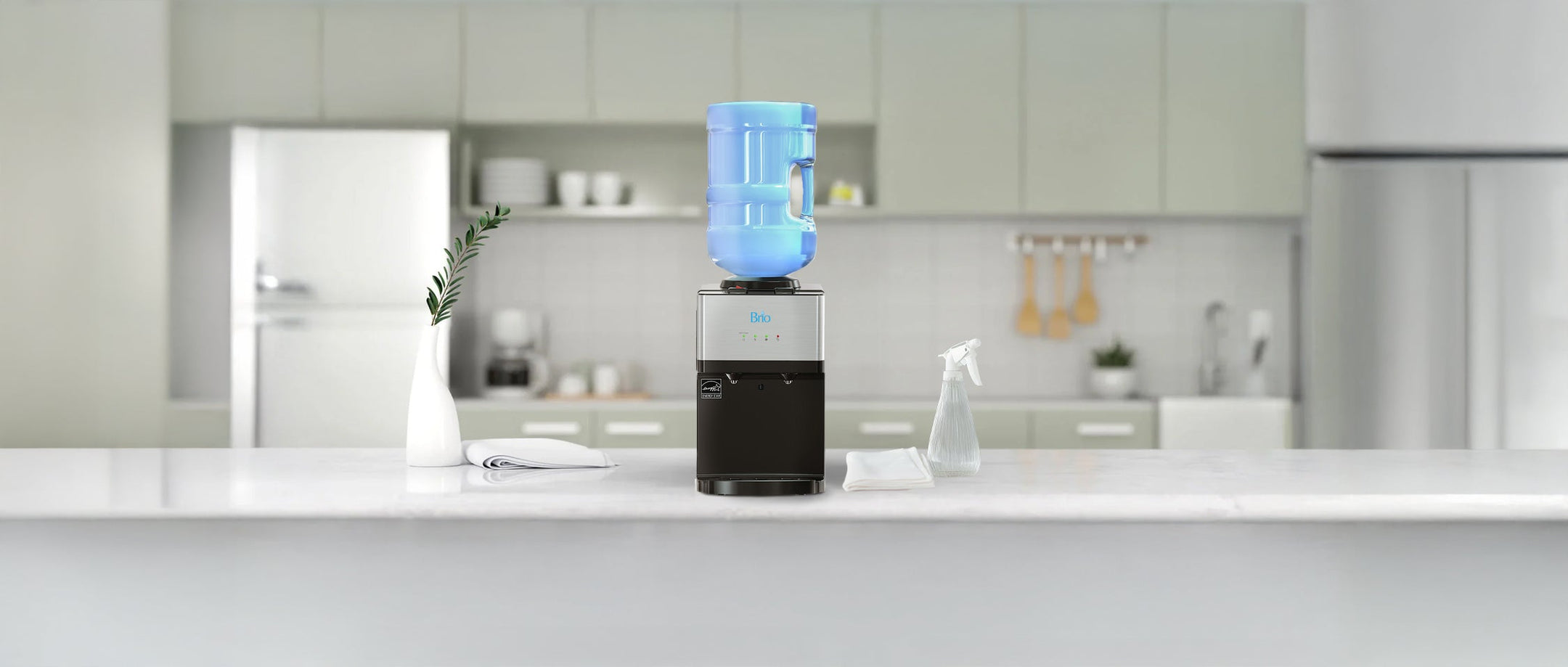
Regular maintenance prevents common issues and keeps your water tasting fresh. Simple habits like cleaning trays and sanitizing bottle necks extend the life of your dispenser.
Clean the Drip Tray Weekly
Empty and wash the drip tray with mild soap and warm water at least once a week. Dry it thoroughly before reinserting to prevent mold and unpleasant odors. Neglecting this step can lead to overflow and bacterial contamination of your dispensing area.
Sanitize Bottle Necks Before Installation
Wipe the neck and cap of every new 5-gallon bottle before attaching the adapter. This simple habit stops dust, insects, and biofilm from entering the pump system. It is the most effective way to prevent clogs and off-tastes in bottom-load units.
Keep Vents Clear and Dust-Free
Use a soft brush or dry cloth to clean the rear grille monthly to remove dust buildup. Ensure the 8-inch clearance behind the unit remains free of furniture or curtains. Blocked vents mimic poor clearance issues and cause the compressor to overheat.
Troubleshoot Common Dispenser Issues
Most problems have simple solutions that do not require professional repair. Checking these common failure points can save you time and frustration.
Resolve No Water Dispensing
Check if the bottle is clicked in properly and ensure you waited the full 5 minutes after power-up. Verify that the drip tray is inserted correctly, as some models have a safety switch that stops flow if the tray is missing. If using a bottleless model, check that the water line valve is open.
Fix Odd Tastes or Smells
Flush the system by dispensing two to three full pitchers from each spout to clear stagnant water. Clean the bottle adapter with soapy water and ensure the bottle neck was sanitized before installation. For bottleless units, replace filters according to the recommended schedule.
Address Heating or Cooling Failures
Confirm that both the red and green switches on the back panel are turned on. Ensure the room temperature is not above 90°F, as high ambient heat impairs cooling performance. Test the power outlet with another device to rule out electrical issues.
Stop Leaks from Base or Cabinet
Inspect the bottle adapter for cracks or misalignment if you see water pooling. Check the drip tray for hairline fractures that might cause leakage. Stop using the unit immediately if water pools near electrical components to avoid hazards.
Frequently Asked Questions About Brio Water Dispensers
How long should I wait to use my new Brio dispenser?
You must wait exactly 5 minutes after plugging in the unit to allow the internal tanks to fill completely. Attempting to dispense water before this time causes air pockets and inconsistent flow.
Why is my water not getting cold or hot?
Check the rear panel to ensure both the red (heating) and green (cooling) switches are flipped to the ON position. Also, verify that the unit has 8 inches of clearance behind it for proper ventilation.
How often do I need to clean the drip tray?
Empty and clean the drip tray with mild soap and water at least once a week. Heavy usage or hot environments may require more frequent cleaning to prevent bacterial growth.
Can I use my Brio dispenser without the bottle adapter?
No, the bottle adapter is required to create a sealed connection between the bottle and the internal pump. Using the dispenser without it will result in leaks and pump failure.
What does the click sound mean during installation?
The distinct click indicates that the bottle adapter has successfully engaged with the internal pump mechanism. If you do not hear this sound, push the bottle further into the cabinet.
Key Takeaways for Using Your Brio Water Dispenser
Proper setup and regular maintenance are the keys to enjoying fresh, temperature-controlled water from your Brio unit. By following the correct installation steps, maintaining proper clearance, and sanitizing components regularly, you ensure years of reliable service.
Start by placing your unit in a cool location with adequate ventilation and follow the priming sequence carefully. Now that you know how to use Brio water dispenser systems effectively, you can enjoy safe, clean water whenever you need it.