
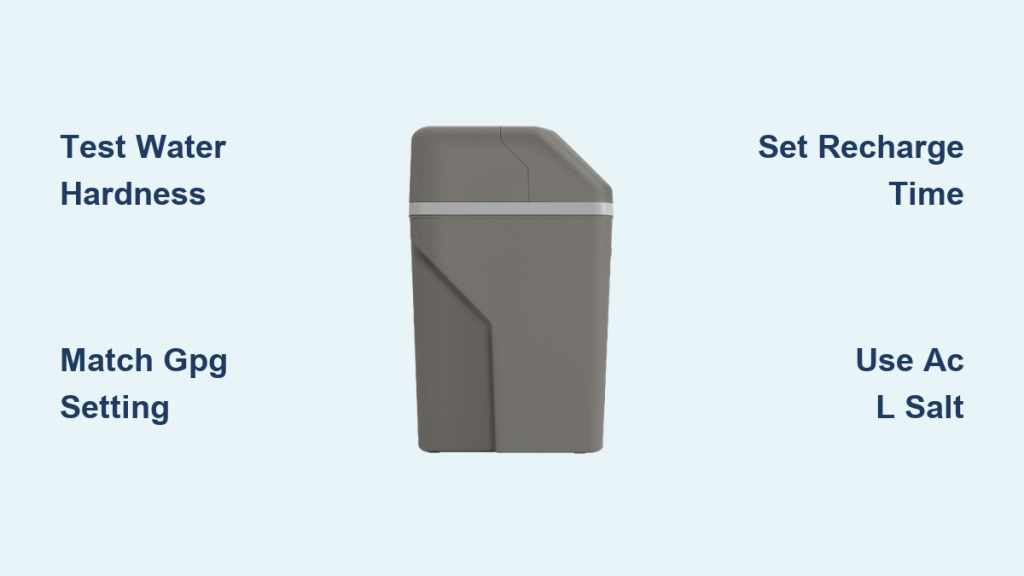
Spotty dishes, dry skin after showers, and white scale on faucets are all signs your softener needs attention. The Rheem water softener hardness setting controls how effectively your unit removes minerals like calcium and magnesium from your water. Getting this number right protects your plumbing, extends appliance life, and prevents wasted salt. This guide walks you through testing your water, adjusting the softness level, and fine tuning every related setting for long term performance.
Enter the Rheem Settings Menu
The control panel on your Rheem unit uses three simple buttons to access every configuration. Before adjusting the Rheem water softener hardness setting, you need to wake up the menu.
Open the Configuration Panel
- Press Select once to wake the display.
- Press Select a second time to enter the menu.
- The current time begins blinking, ready for editing.
- Use the up or down arrows to set the correct hour and minute.
- Press Select one final time to lock in the time.
This saves your baseline so the system can schedule regeneration cycles accurately.
Confirm You Have Full Access
There is no password or lockout feature on standard Rheem models. Once the time is saved, the display returns to its normal view. You can now move directly into the softness adjustment without any extra steps.
Note: Three quick presses of Select is all it takes to reach every setting on the unit.
Adjust the Rheem Water Softener Hardness Setting

The softness level tells your Rheem how aggressively to strip hardness minerals from incoming water.
Understand the Default Value
- Most Rheem units ship with a preset softness level of 4.
- The scale runs from 1 (least softening) to 10 (most softening).
- A lower number leaves more hardness in the water.
- A higher number produces softer water but uses more salt.
⚠️ Important: On Rheem softeners, a lower number means less softening. Setting 1 leaves the most hardness, while 10 removes nearly all of it.
Match the Setting to Your Water Test
- Test your water using hardness test strips calibrated for grains per gallon.
- If your reading is 8 GPG, set the softness level to 8.
- Use the up/down arrows to reach the correct value after entering the menu.
- Press Select to confirm and save.
Quick examples:
– Water tests at 6 GPG → Set softness to 6
– Water tests at 10 GPG → Set softness to 10
This direct match keeps regeneration efficient and prevents salt waste.
Verify Through the Indicator Window
- Some models include a visual indicator window on the brine tank.
- If the brine level sits near the 7 or 8 mark, your softness setting should reflect that usage.
- A consistently high brine level often means the setting is too low.
- Adjust upward until the brine draw matches your actual water consumption.
Test Your Water Hardness With Accuracy
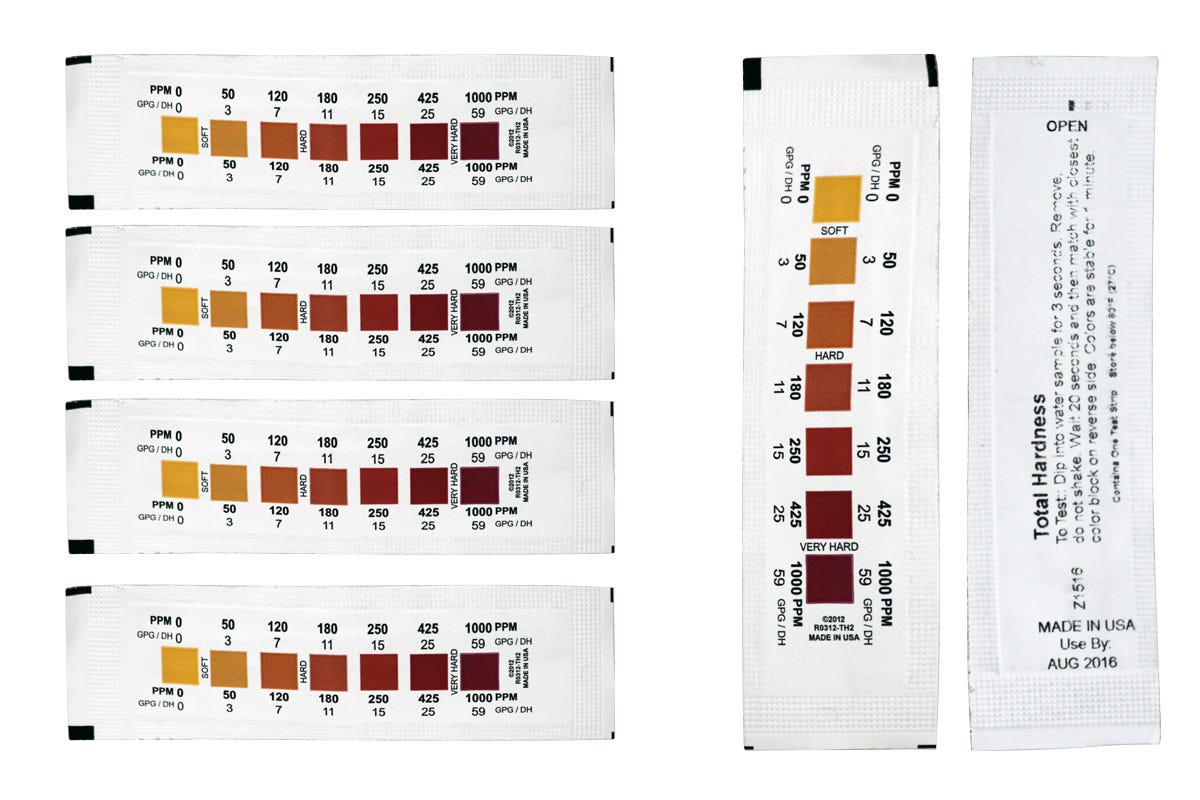
You cannot set the Rheem water softener hardness setting correctly without knowing your actual water hardness.
Use Reliable Test Strips
- Purchase color matching or digital test strips designed for grains per gallon.
- Dip the strip in cold water for 5 seconds.
- Wait 30 seconds, then compare the color to the chart.
- Record the result monthly to track changes over time.
💡 Pro Tip: Test water before it enters the softener by sampling at an outdoor spigot or the bypass valve. This gives you the true incoming hardness reading.
Common Hardness Ranges by Source
| Source | Typical Hardness (GPG) |
|---|---|
| Municipal supply | 5 to 12 GPG |
| Well water | 10 to 25+ GPG |
| Properly softened water | 0 to 1 GPG |
If your post softener reading climbs above 1 GPG, your unit may be undersized or the softness setting is set too low.
Schedule the Recharge Time Correctly
Regeneration cleans the resin bed so it can continue pulling hardness from your water.
Use the Default 2:00 AM Setting
- Factory setting is 2:00 AM, a low water use period.
- Works well for most households without disrupting showers or laundry.
- Keeps regeneration quiet and out of the way.
Adjust to Fit Your Household Routine
- Press Select to enter the menu.
- When the time flashes, use the arrows to choose a different off peak hour.
- Press Select to confirm the new recharge time.
❌ Avoid scheduling recharge during:
– Morning showers (6 to 9 AM)
– Evening cooking and bathing (5 to 8 PM)
A single cycle uses 30 to 60 gallons of water, so timing matters.
Choose the Right Salt Type for Your Needs

Salt selection affects both softening performance and household health considerations.
Sodium Chloride (AC L)
- Standard setting for most users.
- Most affordable and most effective option.
- Works best with pellets or cubes rather than rock salt.
Rock salt tends to leave residue that clogs the brine tank over time.
Potassium Chloride (KCl)
- Choose KCl if you follow a sodium restricted diet.
- Performs well but is slightly less efficient than sodium chloride.
- Costs more and may require more frequent regeneration.
Switch between salt types by selecting AC L or KCl in the menu after entering settings.
✅ Recommendation: Stay on AC L unless a medical professional advises otherwise.
Optimize Your Rheem for Long Term Performance
A correct Rheem water softener hardness setting only works if you maintain the unit over time.
Recalibrate After Water Source Changes
- Retest hardness if your city switches water sources.
- Well owners should test every quarter since mineral levels shift with the seasons.
- Update the softness setting any time the test result changes.
Monitor the Brine Tank Monthly
- Keep salt levels at least half full at all times.
- Watch for mushing, a wet sludge that forms at the bottom.
- Clean the tank every 6 months to prevent buildup.
Watch for Warning Signs
| Symptom | Likely Cause | Fix |
|---|---|---|
| Hard water returns | Softness setting too low | Increase to match test result |
| Excessive salt use | Softness setting too high | Lower to actual GPG |
| No regeneration | Incorrect time or power loss | Reset time and check outlet |
Troubleshoot Common Setting Mistakes
Small errors during setup can quietly reduce your softener’s performance.
Setting the Level Too Low
- Example: Water tests at 9 GPG but softness is set to 4.
- The resin bed regenerates too rarely and hard water slips through.
- Fix: Match the setting directly to your test result.
Misreading the Softness Scale
- Many users assume 4 means soft water.
- Reality: Higher numbers mean softer water on Rheem units.
- Fix: Recheck the manual and adjust upward if needed.
Skipping the Recharge Time Setup
- Default 2:00 AM may clash with overnight appliances like dishwashers.
- Low water pressure during regeneration becomes a daily frustration.
- Fix: Reschedule to an earlier or later off peak window.
Quick Reference: Best Settings for Your Rheem
| Setting | Recommended Action |
|---|---|
| Softness Level | Match exactly to your GPG test result |
| Recharge Time | Keep at 2:00 AM or another low use hour |
| Salt Type | Use AC L unless potassium is required |
| Testing Frequency | Test every 1 to 3 months |
| Brine Level | Maintain between 1/2 and 3/4 full |
Frequently Asked Questions About Rheem Water Softener Hardness Settings
What is the default Rheem water softener hardness setting out of the box?
Most Rheem units ship preset to a softness level of 4. This works for moderately hard municipal water but often needs adjustment based on your local test results.
How do I know what number to set my Rheem softener to?
Test your water with hardness strips and match the softness setting to that grains per gallon reading. If your water tests at 8 GPG, set the unit to 8 for accurate softening.
Does a higher number mean softer water on a Rheem softener?
Yes. On Rheem models, the scale runs from 1 (least softening) to 10 (most softening). A higher number removes more hardness minerals from your water.
How often should I retest my water hardness?
Test your water every 1 to 3 months for municipal supply. Well water users should test quarterly since mineral content can shift with rainfall and seasonal changes.
What happens if I set the hardness level too low?
The resin bed regenerates too infrequently and hard water passes through to your taps. You will notice scale on fixtures, spotted dishes, and dry skin even though the softener appears to be running normally.
Can I switch between AC L and KCl salt without resetting the softener?
Yes. Simply enter the menu after pressing Select three times, then choose AC L or KCl based on your salt supply. The unit will adjust regeneration cycles to match.
Key Takeaways for Setting Your Rheem Water Softener Hardness
A precise Rheem water softener hardness setting comes down to three essentials: test your water, match the setting to the result, and maintain the system monthly. Use AC L salt unless dietary needs require potassium chloride, and keep recharge cycles scheduled during low use hours like 2:00 AM. With just five minutes of setup and a quick test strip reading, your Rheem will deliver spot free dishes, softer laundry, and longer lasting appliances for years to come.
🔁 Final Tip: Write your current hardness setting and test date on a label and stick it near the unit. Future you will appreciate the reminder when it is time to retest.


