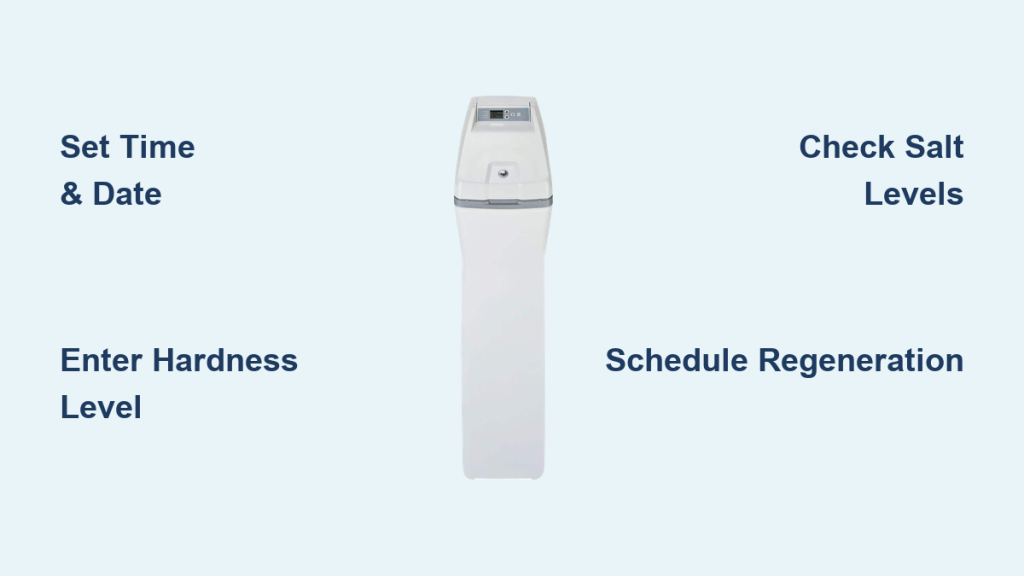
You installed a GE water softener to stop dry skin and spotted dishes, yet hard water symptoms persist. This often happens because users skip critical setup steps like programming the correct hardness level or scheduling regeneration during off-peak hours.
This guide teaches you exactly how to use a GE water softener to ensure flawless operation. You will learn to set the clock, convert water hardness measurements, maintain salt levels, and troubleshoot common issues like salt bridges or rotor disc failures.
Program Time and Date for Automatic Cycles

Your GE water softener relies on accurate time settings to trigger regeneration when your family is asleep. Without the correct clock, the system cannot track usage or initiate cleaning cycles at the optimal moment.
Enter Setup Mode on the Control Panel
Press and hold the MODE/SET button until the display flashes. This action unlocks the programming menu. Use the arrow buttons to navigate through the available options until you reach the time setting.
Set the Current Time and AM/PM Indicator
Select the TIME option and adjust the hours and minutes using the plus or minus buttons. Ensure you select the correct AM or PM designation. An incorrect setting could cause the unit to regenerate while you are showering.
Input Today’s Date for Usage Tracking
Navigate to the DATE field to enter the current month, day, and year. The system uses this data to log water consumption patterns accurately. Double-check your entry to prevent tracking errors that affect regeneration timing.
Calculate and Enter Water Hardness Levels
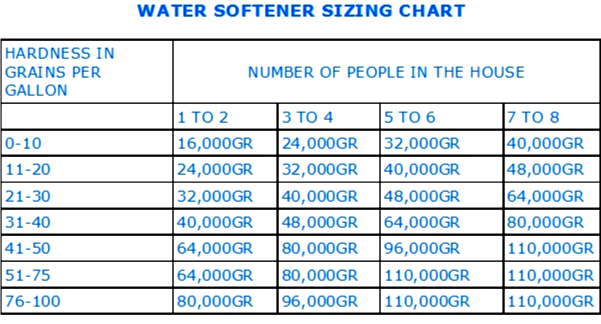
Entering the wrong hardness value causes the resin to saturate too quickly or waste salt on unnecessary cycles. You must test your water and convert the results before programming the unit.
Test Your Local Water Supply
Obtain a water report from your municipal provider or use a home test kit to find the hardness in parts per million (ppm). Common hard water areas often show readings around 346 ppm or higher.
Convert Parts Per Million to Grains Per Gallon
Divide your ppm result by 17.1 to get the grains per gallon (gpg) value. For example, 346 ppm divided by 17.1 equals roughly 20.2 gpg. Round this number down slightly to ensure the resin never becomes overloaded.
Save Hardness Settings to the System
Press MODE/SET until the arrow points to HARDNESS. Use the arrow keys to match your calculated gpg number. Press MODE/SET again to save, which tells the unit when to regenerate based on actual usage.
Manage Salt Levels and Brine Tank Care
Salt is the fuel for your water softener, and low levels lead directly to hard water flowing through your taps. Proper filling techniques prevent clumping and ensure the brine solution forms correctly.
Prime the Tank with Water First
Pour three gallons of clean water into the empty brine tank before adding any salt. This step creates the initial liquid base required for the first brine solution.
Add High-Quality Salt Pellets
Fill the tank with three bags of water softener salt pellets or crystals. Avoid using rock salt or products with additives, as these create sludge that clogs the system. Pellets generally offer cleaner operation with less residue.
Monitor and Refill Monthly
Check the salt level every 30 days to ensure it remains at least one-third full. The salt must always stay above the water line so the system can draw brine effectively. Refill the tank by pouring salt directly in without compacting it.
Schedule Regeneration During Off-Peak Hours

Regeneration cleans the resin beads but temporarily stops water flow to your home. Scheduling this process for late night ensures you never lose water pressure during showers or laundry.
Select a Low-Usage Time Window
Choose a time like 3:00 AM for your automatic regeneration cycle. The process takes about one hour, so running it while everyone is asleep prevents interruptions to your daily routine.
Configure the Recharge Timer
Navigate to RECHARGE TIME on the control panel. Adjust the hour to your preferred off-peak window and press MODE/SET to confirm. The system will now automatically clean itself at this time based on your water usage.
Force a Manual Recharge When Necessary
Press the RECHARGE button to start the cleaning cycle immediately. Use this feature after refilling salt, restoring power after an outage, or if you notice the water feeling hard unexpectedly.
Operate the Bypass Valve Correctly
The bypass valve determines whether water flows through the softener or around it. Misusing this valve is a common reason for sudden hard water complaints.
Pull Handle Out for Normal Operation
Ensure the bypass handle is pulled OUT to direct water through the resin tank. This is the standard position for daily use when you want soft water throughout the house.
Push Handle In for Maintenance
Push the handle IN to route water around the unit entirely. Use this position when repairing leaks, replacing parts, or preparing the system for a long vacation.
Verify Valve Position to Prevent Leaks
Check that the handle is fully engaged in either the in or out position. A partially opened valve can cause mixed water quality or lead to leaks at the connection points.
Clean Nozzle and Venturi Assembly Regularly

Mineral deposits or debris in the nozzle and venturi assembly prevent the system from drawing brine. Cleaning these parts restores the suction needed for effective regeneration.
Shut Off Power and Water Supply
Turn off the electricity to the unit and close the main water valve before disassembly. This safety step prevents electrical shock and water spraying during the cleaning process.
Disassemble and Inspect Components
Locate the nozzle and venturi housing on the control valve and carefully remove the parts. Look for scratches on the plastic or clogs caused by sediment buildup.
Scrub Parts with a Soft Brush
Rinse all components under warm water and use a soft toothbrush to remove deposits. Avoid abrasive pads that could scratch the plastic and ruin the suction seal.
Reassemble with Aligned Gaskets
Place the gaskets back so their holes align perfectly with the housing openings. Reinstall the parts in reverse order, as misalignment will cause leaks or suction failure.
Clean Brine Tank Every Six to Twelve Months
Sediment and salt mush accumulate over time, reducing efficiency and potentially clogging the brine line. Regular cleaning keeps the tank free of sludge.
Drain and Empty the Tank Completely
Turn off power and water, then disconnect the brine line to drain all liquid. Remove all remaining salt and save any usable portions in a bucket for later use.
Remove Float and Sensor Assemblies
Take out the salt level indicator and float assembly to clean them separately. Rinse these parts under clean water and check for cracks or sticking mechanisms.
Scrub Interior Walls Without Detergent
Use a soft brush and warm water to scrub the inside walls of the tank. Remove any crust or sludge buildup, but do not use detergents that could contaminate your water supply.
RinThoroughly and Refill with Fresh Salt
Flush the tank with clean water to remove all loosened debris. Reinstall the components, add fresh water and salt, and restart the system to resume normal operation.
Troubleshoot No Soft Water Issues
Hard water after installation usually points to a specific mechanical or programming error. Checking these common culprits often resolves the problem quickly.
Break Salt Bridges in the Brine Tank
A hardened crust of salt can form above the water line, preventing brine creation. Tap the tank gently with a rubber mallet or poke through the crust with a broom handle to break it up.
Verify Salt Levels and Power Connection
Ensure the tank is not empty, as no salt means no regeneration. Check that the unit is plugged in and that the circuit breaker has not tripped.
Confirm Bypass Valve Is Engaged
Check that the bypass handle is pulled out. If it is pushed in, water bypasses the resin entirely, delivering hard water to your faucets.
Fix Intermittent Hard Water Problems
Water that alternates between soft and hard often indicates a scheduling conflict or a sensor issue within the unit.
Adjust Hardness Settings if Too Low
If your local water is harder than the programmed setting, the unit will not regenerate often enough. Re-test your water and update the gpg setting to match current conditions.
Avoid Hot Water Use During Regeneration
Drawing hot water while the unit regenerates pulls untreated water into your heater. Schedule regeneration for times when no one is using hot water.
Check Meter Turbine for Obstructions
The internal turbine tracks water usage to trigger regeneration. If debris jams this turbine, the system cannot calculate when to clean the resin.
Handle Excessive Water in Brine Tank
Finding more than four inches of water in the brine tank signals a failure in the suction mechanism. This issue typically requires part replacement.
Diagnose Rotor Disc Failure
Shine a flashlight into the brine well to measure the water level. Levels significantly above four inches indicate the rotor disc is failing to create proper suction.
Identify Correct Replacement Part Size
Count the bolts on the existing rotor disc to determine the size needed. Five bolts indicate a ¾-inch disc, while eight bolts require a 1-inch disc.
Replace Disc and Test System
Install the new rotor disc after shutting off power and water. Run a manual recharge cycle and verify that the water level returns to normal afterward.
Prepare System for Vacations and Winter
Extended absences require specific steps to protect your softener from damage or unnecessary salt usage.
Shut Down for Long Absences
Turn off the water supply and set the control to manual regenerate for one final cycle. Close the bypass valve and unplug the unit to conserve energy and prevent leaks.
Winterize in Freezing Climates
Drain the brine tank completely and use the bypass to remove water from the resin tank. Store the control head indoors if temperatures will drop below freezing to prevent cracking.
Recognize Signs of Proper Operation
Your GE water softener is working correctly when you notice specific improvements in water quality and appliance performance.
- Dishes dry without cloudy white spots or filmy residue
- Soap lathers easily in showers and sinks
- Clothes feel softer and retain their original color
- Water pressure remains strong throughout the home
- Water heater operates more efficiently without scale buildup
Maintain Long-Term Performance
Consistent care extends the life of your GE water softener well beyond a decade. Regular inspections prevent minor issues from becoming major failures.
Schedule Annual Professional Checkups
Have a technician inspect valves, seals, and electrical connections once a year. Early detection of wear prevents costly repairs down the road.
Use Genuine OEM Replacement Parts
When replacing components like rotor discs or seals, use genuine GE parts. Aftermarket parts may not fit correctly or last as long as original equipment.
Keep Installation Area Dry and Ventilated
Install the unit in a temperature-controlled space with good airflow. Avoid damp basements without dehumidifiers to protect electronic components.
Frequently Asked Questions About GE Water Softeners
How often should I add salt to my GE water softener?
You should check the salt level monthly and refill when it drops below one-third full. Keeping the tank at least one-third full ensures the system can always create brine for regeneration.
Why is there so much water in my brine tank?
Excessive water usually indicates a faulty rotor disc that fails to create suction. Measure the water level, and if it exceeds four inches, replace the rotor disc with the correct size.
Can I use regular table salt in my water softener?
No, you must use high-quality water softener salt pellets or crystals. Regular table salt contains additives that create sludge and damage the internal components of the system.
How do I know if my water hardness setting is wrong?
If you experience intermittent hard water or notice scale buildup, re-test your water supply. Compare the results to your programmed setting and adjust the gpg value if necessary.
What time should I schedule regeneration?
Schedule regeneration for off-peak hours like 3:00 AM when water usage is minimal. This prevents interruption to your daily activities since water flow stops during the cycle.
Key Takeaways for Using Your GE Water Softener
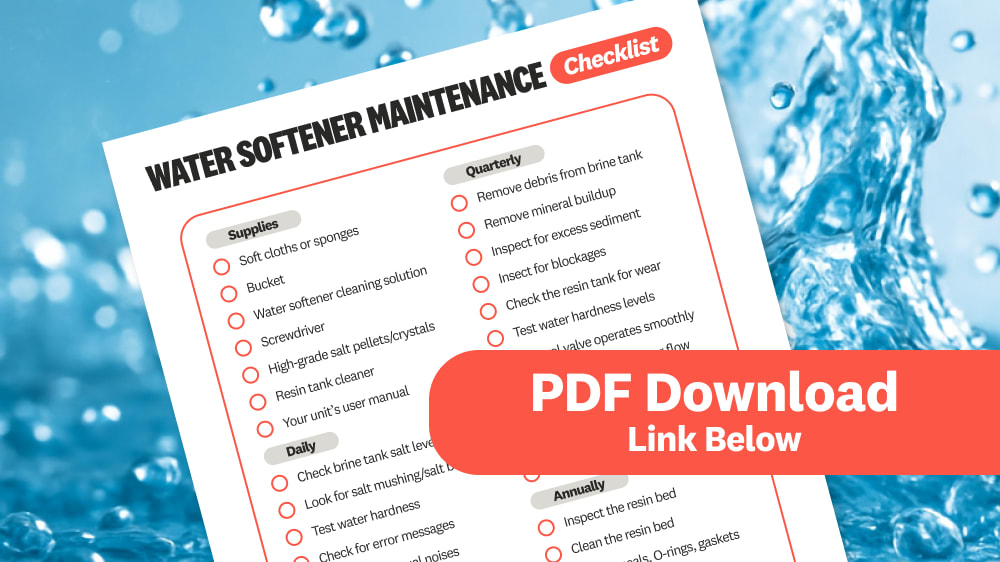
Mastering how to use a GE water softener ensures your home enjoys consistent soft water and protected appliances. By programming the correct hardness level, maintaining adequate salt levels, and scheduling regeneration during off-peak hours, you maximize the efficiency of your system. Regular cleaning of the brine tank and nozzle assembly prevents common issues like salt bridges and suction failures.
Take action today by checking your current salt levels and verifying your regeneration schedule. A few minutes of monthly maintenance keeps your GE water softener running smoothly for years to come.