Is your Primo water dispenser hot water not working despite the switch appearing to be on? This frustrating issue often leaves users without their morning coffee or instant meals, but it rarely means the unit is broken. In most cases, a built-in safety feature has simply tripped to prevent overheating, requiring a specific manual reset to function again.
This guide walks you through the exact steps to diagnose the problem and restore heat to your dispenser. You will learn how to check the red indicator light, perform the critical five-second internal reset, and understand why waiting a full hour before testing is essential for success.
Verify the Hot Water Switch Status
The very first step in fixing a Primo water dispenser hot water not working issue is confirming the power state of the heating tank. Many users assume the switch is on when it is actually off or stuck in a glitch state.
Check the Red Indicator Light
Locate the hot water switch on the front or top control panel of your unit. This button controls electricity flow to the heating element, and it uses a specific visual code to show its status. Look closely at the underside of the button itself.
- Red visible: The switch is ON and sending power.
- Only black visible: The switch is OFF and no power is flowing.
If you do not see red, press the button firmly until the red indicator appears. If red is already visible, proceed to the next step to rule out a minor electronic glitch.
Perform a Power Cycle Reset
Even if the red light is showing, a simple power cycle can clear temporary errors in the system. This involves turning the unit off and back on manually.
- Press the hot water switch down until the red indicator disappears completely.
- Wait for ten seconds to allow the system to discharge.
- Press the switch again until the red indicator reappears clearly.
Do not test the water immediately after this step. If the unit was simply stuck in a loop, this action restarts the heating cycle.
Execute the Internal Safety Reset
If the switch is on and a power cycle failed, the internal thermal cutoff has likely tripped. This is the most common reason for a Primo water dispenser hot water not working complaint. The system disables the heater automatically if temperatures get too high, and it requires a physical reset to reactivate.
Access the Rear Bottom Panel
You must access the back of the unit to reach the safety mechanism. Start by ensuring the hot water switch is in the OFF position (no red visible) for safety. Move the dispenser away from the wall so you can kneel comfortably behind it.
Use a bright flashlight to illuminate the lower back area beneath the main body. You are looking for the black hot water tank, which is usually protected by a metal grille or guard. Visibility is often poor here, so good lighting is critical.
Identify the Black Dial With White Dot
On the bottom of the black tank, you will see two small circular dials, each about the size of a nickel. One dial is white, and the other is black.
- White Dial: This is a secondary thermostat. Do not touch this component.
- Black Dial: This houses the manual reset button you need.
Focus your attention on the black dial. In the center, there is a tiny recessed button marked with a white dot. This is the thermal safety reset.
Pro Tip: The white dot can be faint in low light. Angle your flashlight beam across the dial to make the dot stand out against the black background.
Press and Hold for Five Seconds
You need a slender, non-conductive tool to reach the button through the protective grating. A small flathead screwdriver, an envelope opener, or a long plastic pen cap works well.
- Insert your tool through the metal grating to reach the white-dot button.
- Bend the metal grating slightly if necessary to create a straight path.
- Press firmly and directly down on the button.
- Hold the pressure for exactly five seconds.
Warning: You will not feel a click or see the button move. This is normal. The reset happens internally under sustained pressure. Releasing early may result in an incomplete reset.
Restore Power and Wait One Hour
Once you have performed the manual reset, you must restore power and allow the system to reheat. Impatience during this phase is a leading cause of misdiagnosis.
Reactivate the Heating Element
Return to the front of the dispenser and press the hot water switch until the red indicator is visible again. This restores electrical current to the heating element now that the safety lock has been cleared. Ensure the light stays steady and does not flicker.
Allow Full Reheating Time
You must wait approximately 60 minutes before attempting to dispense hot water. The heating element needs this time to bring the entire tank volume up to temperature.
- Do not dispense any water during this hour.
- Drawing water introduces cold water into the tank, resetting the heating timer.
- Testing too early will yield lukewarm results and may make you think the fix failed.
Expert Note: Think of this like preheating an oven. Opening the door (or dispensing water) before the cycle completes releases the heat and forces the system to start over.
Test Hot Water Output
After the full hour has passed, it is time to verify if the Primo water dispenser hot water not working issue is resolved. This test confirms whether the thermal cutoff reset successfully.
Dispense and Evaluate Temperature
Place a heat-safe cup under the hot water spigot. Press the lever and fill the cup completely. Carefully feel the temperature of the water or observe the steam.
- Success: The water is very hot, typically between 185°F and 195°F, and may produce visible steam.
- Failure: The water is cold, cool, or barely warm.
If the water is hot, your reset was successful and the unit is ready for normal use. You can now enjoy hot beverages without interruption.
Troubleshoot Continued Failure
If the water is still cold after the full wait time, double-check your steps. Ensure the red switch remained lit throughout the hour. You may attempt the manual reset process one more time, ensuring you hold the button for the full five seconds.
If the second attempt fails, the issue likely involves a hardware component rather than a tripped safety switch.
Diagnose Potential Hardware Failures
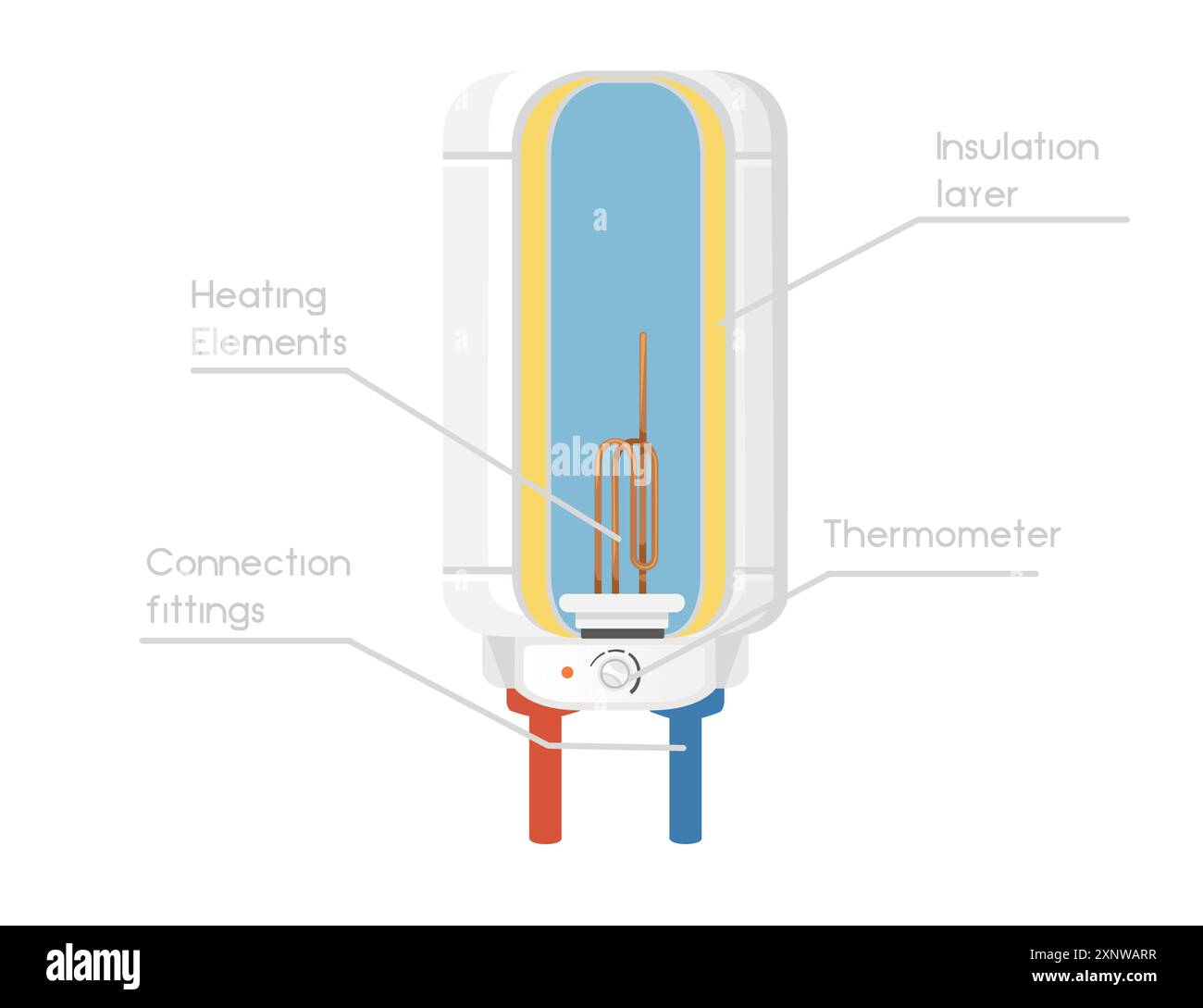
When reset procedures do not solve the problem, internal components may have failed. Understanding these failures helps you decide whether to repair or replace the unit.
Check for Heating Element Failure
The heating element is a resistive coil inside the tank that generates heat. Over time, mineral deposits from hard water can corrode or burn out this element.
- Symptoms: Power is on, reset works, but no heat is generated.
- Cause: Electrical continuity is lost due to age or scale buildup.
Without a functional element, the water cannot heat regardless of switch settings or resets.
Suspect Thermostat Malfunction
The thermostat monitors water temperature and tells the heater when to turn on and off. If this sensor fails, it may not detect that the water is cold.
- Symptoms: The system never initiates a heating cycle.
- Cause: Internal sensor damage or calibration loss.
A broken thermostat will not respond to manual resets because it cannot signal the heater to engage.
When to Call a Technician

User-serviceable fixes end once you have verified the switch, performed the manual reset, and waited the required hour. If the Primo water dispenser hot water not working problem persists, professional service is required.
Recommended Next Steps
Contact Primo customer support or a certified appliance repair technician if you experience the following:
- The red indicator light will not stay on.
- The reset button yields no results after two attempts.
- You hear buzzing, clicking, or humming noises from the tank.
- There are signs of water leakage near the hot tank area.
Avoid attempting to replace the heating element or thermostat yourself unless you have experience with electrical appliances and plumbing. Incorrect installation can void warranties or create safety hazards.
Frequently Asked Questions About Primo Water Dispenser Issues
Why is my Primo water dispenser not getting hot after I reset it?
If you performed the reset correctly, the most likely cause is insufficient wait time. The tank requires a full 60 minutes to reheat. Dispensing water before this time introduces cold water and resets the heating cycle, leading to false failure conclusions.
What tool do I need to reset the hot water button?
You need a long, thin, non-conductive tool to reach the recessed button behind the metal grating. A small flathead screwdriver, envelope opener, or slender plastic tool works best. Ensure the tool is dry before insertion.
Will the reset button click when I press it?
No, the reset button on Primo dispensers does not click or move visibly. You must rely on timing rather than tactile feedback. Hold steady pressure on the white-dot button for exactly five seconds to ensure the internal mechanism engages.
How do I know if my hot water switch is actually on?
Check the underside of the hot water button. If you see red, the switch is ON. If you only see black, the switch is OFF. Press the button until the red indicator appears to activate the heating element.
Can hard water cause the hot water to stop working?
Yes, hard water can cause mineral buildup on the heating element, leading to overheating and triggering the safety cutoff frequently. In severe cases, scale can burn out the heating element entirely, requiring part replacement.
Is it safe to bend the metal grating to reach the reset button?
Yes, gently bending the protective metal grating is safe and often necessary to get a straight angle on the reset button. Apply light pressure to move the grate just enough to insert your tool without damaging surrounding wires.
Key Takeaways for Fixing Primo Water Dispenser Hot Water Issues
Most cases where Primo water dispenser hot water not working are resolved by understanding the internal safety system. The primary solution involves locating the black dial with the white dot on the rear tank and holding the reset button for five full seconds. Remember that the button provides no click, so timing is your only confirmation.
Always wait the full one hour after resetting before testing the water temperature. Skipping this waiting period is the most common mistake users make. If the unit still fails to produce hot water after a proper reset and wait time, the heating element or thermostat likely needs professional replacement.