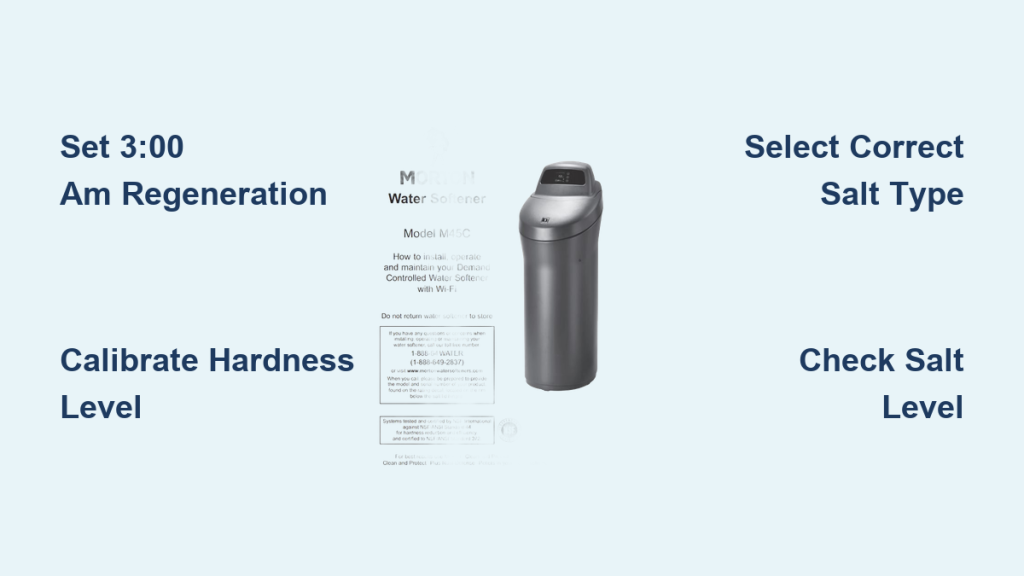
If your Morton water softener fails to deliver soft water, incorrect Morton water softener settings are often the culprit. Issues like blank displays, static salt levels, or poor regeneration usually stem from misconfigured time, hardness, or salt type parameters.
This guide details precise programming steps to fix these common problems using official protocols. You will learn to calibrate hardness, schedule 3:00 AM regeneration, and resolve error codes without calling a plumber.
Access Programming Mode on Your Unit
To adjust any Morton water softener settings, you must first enter the system programming interface. This process remains consistent across major models including the M20, M27, M30, MC30, MSD45E, and MCWF series.
Press and Hold Select Button
- Action: Press and hold the Select button for exactly 3 seconds.
- Visual Cue: The display screen will change to indicate entry into the setup menu.
- Model Note: Always check the label under your salt lid for specific navigation variations.
Once inside this menu, you can modify time, hardness levels, salt type, and regional features. Confirm all changes before exiting to ensure they save properly.
Program Time and Regeneration Schedule
Accurate timekeeping ensures your system regenerates when household water usage is lowest. Proper scheduling prevents hard water from entering your water heater during the recharge cycle.
Set 3:00 AM Regeneration Time
- Why 3:00 AM? This off-peak hour prevents hard water from mixing with your hot water supply.
- Steps:
- Use Select to navigate to the time setting.
- Adjust hours and minutes using the + or – buttons.
- Confirm the setting and exit the menu.
Pro Tip: Always reset the clock immediately after a power outage. An incorrect clock causes mistimed regeneration and intermittent hard water issues.
Choose 24-Hour or 12-Hour Mode
- 24-Hour Mode: Best for continuous tracking and recommended for most homes.
- 12-Hour Mode: Use only if your specific system requires daily regeneration windows.
Schedule Manual Recharge Events
Need an immediate regeneration? You can override automatic scheduling:
* Navigate to Recharge Now.
* Select your desired day and time.
* Confirm to start the cycle immediately.
Calibrate Water Hardness Levels

Calibrating water hardness is the most critical Morton water softener setting for overall performance. Incorrect values lead to wasted salt or insufficient softening.
Start with 25–26 gpg Baseline
- Default Setting: For average municipal water, set hardness to 25–26 grains per gallon (gpg).
- Testing Requirement: Never guess this value. Test un-softened water using Morton test strips or local municipal reports.
Adjust Based on Test Results
| Water Hardness (gpg) | Recommended Setting |
|---|---|
| 0–10 | Set to actual value |
| 11–25 | Match test result |
| 26+ | Re-test including iron |
Warning: Setting hardness too low prevents regeneration. If your salt level is not dropping, check this setting first.
Re-Test After System Changes
Water quality fluctuates over time. If you notice soap scum or spotty dishes:
* Re-test your un-softened water supply.
* Check iron levels, as high iron requires special resin cleaning.
* Update your Morton water softener settings accordingly.
Select Correct Salt Type Configuration
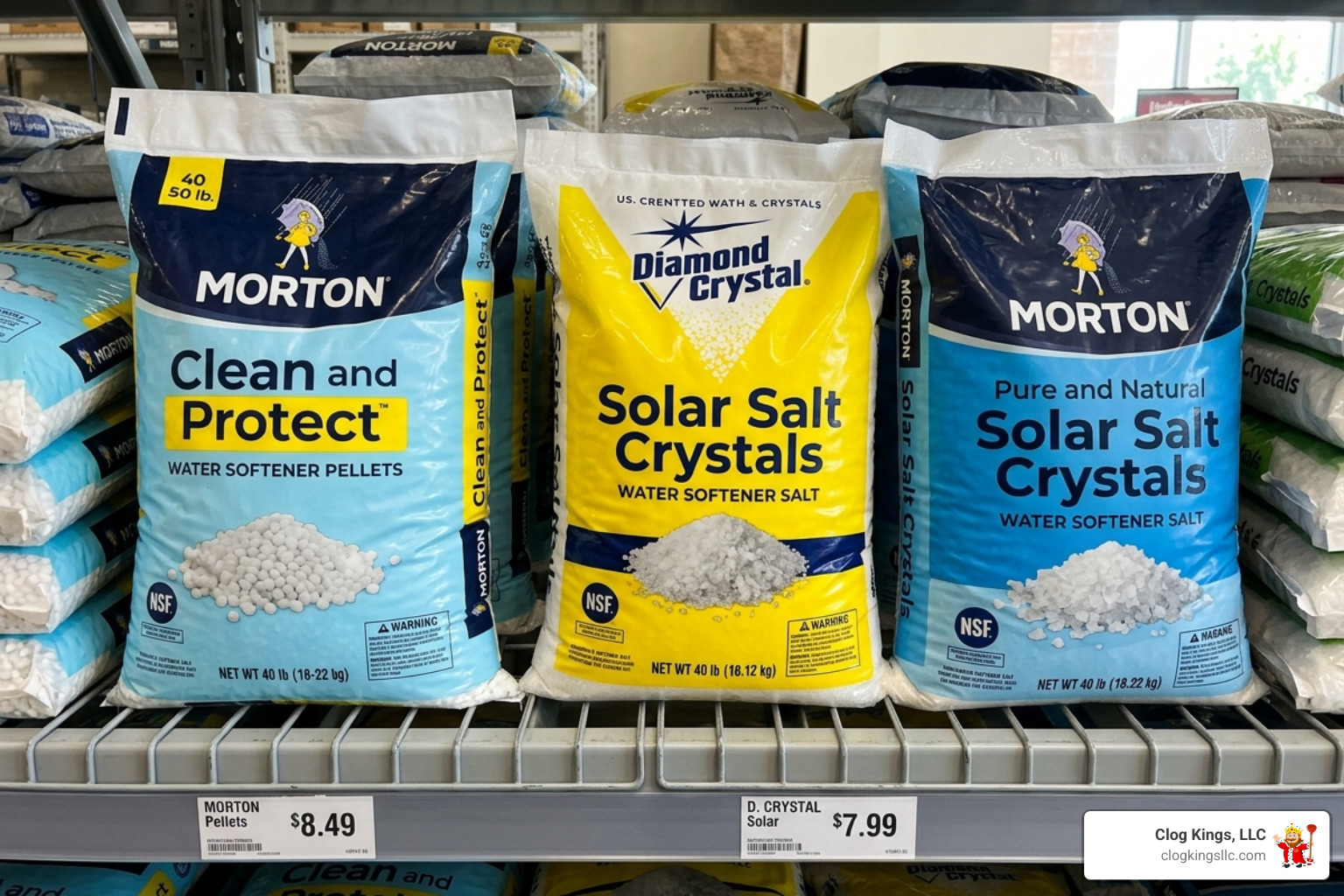
The softener calculates brine draw based on the physical form of salt you use. Choosing incorrectly reduces efficiency significantly.
Choose Pellet, Block, or Crystals
Navigate to Salt Type in the menu and select your specific product:
* Pellet (Most common and recommended)
* Block
* Crystals
Best Practice: Use Morton Clean and Protect Pellets or Pure and Natural Pellets. These formulations prevent bridging and sludge buildup inside the tank.
Follow Proper Refill Protocol
When the salt tank runs low:
1. Refill the tank immediately with recommended pellets.
2. Run Recharge Now to restore soft water production.
3. Wait 2–3 hours before using hot water to ensure full saturation.
Avoid Bridging: In humid climates, check monthly for a hard crust forming above the water level. Break it gently with a broom handle if found.
Configure Regional Compliance Settings
Specific jurisdictions require unique compliance settings to meet local water discharge regulations.
Set California Mode Correctly
- California Units: Must have “Set Off” = On to meet state water usage laws.
- Indiana & Standard Regions: Set “Set Off” = Off for normal operation.
Consequence: Using the wrong setting may cause failed regeneration cycles or code violations in regulated areas.
Enable Electrical Clean Cycle
This feature prevents bacterial growth inside the valve assembly.
* Go to Clean Cycle setting.
* Set duration to 7 minutes.
* Run weekly or as prompted by the system.
Optimize Recharge Interval Timing
Balancing softening power with resource conservation requires proper interval scheduling.
Use 10–14 Day Saddle Charge
- Recommended: Set recharge interval to 10 days.
- Ideal Range: A range of 10–14 days suits most households effectively.
- Avoid Daily Auto: The “1 day” auto setting wastes significant salt and water.
Expert Note: Longer intervals allow for deeper resin cleaning during the regeneration process, extending system life.
Troubleshoot No Soft Water Issues

If your water feels hard, investigate these six common causes immediately.
Check Salt Level First
- Cause: An empty salt tank halts the softening process completely.
- Fix: Refill with Morton pellets and run Recharge Now.
Clean Nozzle and Venturi Assembly
- Symptom: Weak flow or low suction during brine draw.
- Steps:
- Shut off the water supply.
- Disassemble the nozzle and venturi.
- Soak parts in vinegar and scrub away debris.
- Reinstall securely.
Replace Inner Valve Seals
- Cause: Internal leaks bypass the resin bed entirely.
- Fix: Replace the rotor seal and O-rings using a kit from customer service.
Clear Drain Hose Blockages
- Check For: Kinks, sharp bends, or clogs in the line.
- Solution: Straighten the hose path and blow air through to clear blockage.
Inspect Brine Valve Float
- Problem: Float stuck due to mineral buildup.
- Action: Remove, clean with warm water, and reinsert. Replace if damaged.
Fix Tank-to-Valve Leak
- Sign: Dampness at the base of the unit.
- Repair: Replace tank valve O-rings to seal the connection properly.
Fix Blank Display and Power Loss
A dead display means no regeneration occurs, resulting in no soft water.
Verify Power Connection
- Check: Ensure the transformer is plugged into the wall.
- Test Outlet: Plug a lamp into the outlet to confirm power availability.
- Inspect Cord: Look for fraying or physical damage to the cable.
If No Power: Reconnect the unit, then reset the time and initiate Recharge Now.
Reset Circuit Breaker
- Cause: Tripped breaker or blown fuse in your home panel.
- Action: Flip the breaker back on or replace the fuse.
- Follow-Up: Restore the clock and start a manual recharge cycle.
Replace Control Board
- Signs: Power connected but no display; error will not clear.
- Solution: Order a replacement board from Morton directly.
- Contact: Call 1-888-649-2837 for warranty support.
Diagnose Static Salt Level Problems
Salt not dropping means no regeneration is happening, even if the unit appears to run.
Break Salt Bridge
- What It Is: A solid crust forms over salt, blocking dissolution into water.
- How to Detect: Push a broom handle down into salt. If it hits a firm layer above water, bridging exists.
- Fix: Break the bridge, stir the salt, and ensure the water level is visible.
Confirm Bypass Valve Position
- Error: Bypass stem pulled out engages bypass mode.
- Correct: Push stem fully in until it reads “Service”.
- Visual Check: Align arrows on the valve body to verify flow path.
Recheck Hardness Setting
- Common Mistake: Hardness set too low (e.g., 5 gpg when actual is 25).
- Result: System thinks no regeneration is needed.
- Fix: Recalibrate using fresh test strip data.
Solve Intermittent Hard Water
Water soft one day and hard the next indicates specific configuration errors.
Correct Time Setting
- Issue: Clock off by hours or days causes timing errors.
- Effect: Regeneration happens midday instead of 3:00 AM.
- Fix: Reset accurate time and avoid water use during recharge.
Avoid Water Use During Regeneration
- Rule: No showers, laundry, or dishwasher between 2:00–4:00 AM.
- Why? Drawing water forces untreated hard water into pipes and heater.
Test for Rising Iron or Hardness
- Change: Well water or municipal supply shifts over time.
- Action: Retest un-softened water monthly during dry seasons.
- Adjust: Update both hardness and iron settings in the menu.
Stop Hidden Leaks
- Impact: A dripping faucet can use 200+ gallons daily, exhausting resin.
- Check: Turn off all water and watch meter dial. If spinning, a leak exists.
- Fix: Repair toilet flappers, faucet cartridges, or irrigation lines.
Fix Motor Stalls and Clicking Noises
Clicking noises often mean the motor is trying and failing to turn the valve.
Replace Faulty Motor
- Symptom: Loud click, no movement, E2 or E3 code.
- Cause: Burnt-out motor or mechanical jam.
- Solution: Install new motor assembly.
Free Jammed Inner Valve
- Cause: Mineral buildup locks rotor movement.
- Action: Disassemble valve, clean seals, replace rotor if cracked.
- Prevention: Run clean cycle monthly to prevent buildup.
Clear Error Codes E1 Through E4
Electronic faults require targeted fixes to restore operation.
Diagnose Wiring and Switches
- E1/E2: Often indicates faulty position switch or loose harness.
- Steps:
- Unplug unit completely.
- Open control panel carefully.
- Re-seat wiring connectors firmly.
- Test switch continuity with multimeter.
Replace Position Switch
- Function: Tells system valve position accurately.
- Failure Sign: Erratic cycling, error returns after reset.
- Fix: Swap with OEM replacement part.
Clear Code After Repair
- Process: Fix root cause, power cycle, hold Select for 3 sec, confirm reset.
- Warning: If code returns immediately, the problem persists.
Follow Maintenance Best Practices
Keep your Morton softener running efficiently with regular care.
Monitor Salt Weekly
- Goal: Never let level fall below 1/3 full.
- Add More: When salt drops below half, refill to maintain brine reserve.
Prevent Salt Bridges
- In Humid Climates: Stir salt monthly to prevent crusting.
- Use Pellets: Less prone to bridging than crystals.
Inspect for Leaks
- Monthly Task: Check toilets, faucets, washing machine hoses.
- Save Capacity: Even small leaks shorten time between regenerations.
Run 7-Minute Clean Cycle
- Purpose: Clears biofilm from valve chamber.
- Frequency: Weekly or per system prompt.
Verify Model Compatibility
These Morton water softener settings apply to the following models:
* MCWF
* MSD45E
* M20
* M27
* M30
* M34
* MC30
Always Confirm: Match settings to your model’s manual. Download PDFs from Morton’s website using the serial number.
Contact Customer Support
For unresolved issues, professional help is available.
* Call: 1-888-649-2837 (1-888-64WATER)
* Services: Warranty claims, part orders, technical help
* Have Ready: Model number, serial number, error details
Note: If an error code returns after repair, the fix was incomplete. Re-diagnose or contact support.
Frequently Asked Questions About Morton Water Softener Settings
What is the ideal regeneration time for Morton softeners?
Set your regeneration time to 3:00 AM. This off-peak hour ensures your water heater does not fill with hard water during the recharge cycle and minimizes impact on household water pressure.
How do I fix a blank display on my Morton softener?
Check if the transformer is plugged in and the outlet has power. Reset any tripped circuit breakers. If power is present but the display remains blank, the control board may need replacement.
Why is my salt level not dropping?
Static salt levels usually indicate salt bridging, a bypass valve left in “Bypass” mode, or a hardness setting that is too low. Break any salt crusts and verify your hardness calibration.
What hardness setting should I use for municipal water?
Start with a baseline of 25–26 grains per gallon (gpg) for average municipal water. Always verify this number with a water test strip or local water report for accuracy.
How often should my Morton softener regenerate?
The recommended recharge interval is 10 days, with an ideal range of 10–14 days. Avoid the “1 day” auto setting as it wastes salt and water unnecessarily.
What do error codes E1, E2, E3, or E4 mean?
These codes indicate issues with the position switch, wiring harness, or motor. Check connections, replace the position switch if needed, or clear the code after repairing the root cause.
Key Takeaways for Optimizing Morton Water Softener Settings
Proper Morton water softener settings are essential for consistent soft water and system longevity. Start by setting regeneration to 3:00 AM, calibrating hardness with real test data, and selecting the correct salt type. Regular maintenance like checking for leaks and running clean cycles keeps your system efficient.
When problems arise, use this guide to diagnose issues like static salt, blank displays, or error codes quickly. For persistent mechanical failures or parts replacement, contact Morton support at 1-888-649-2837 with your model details ready.