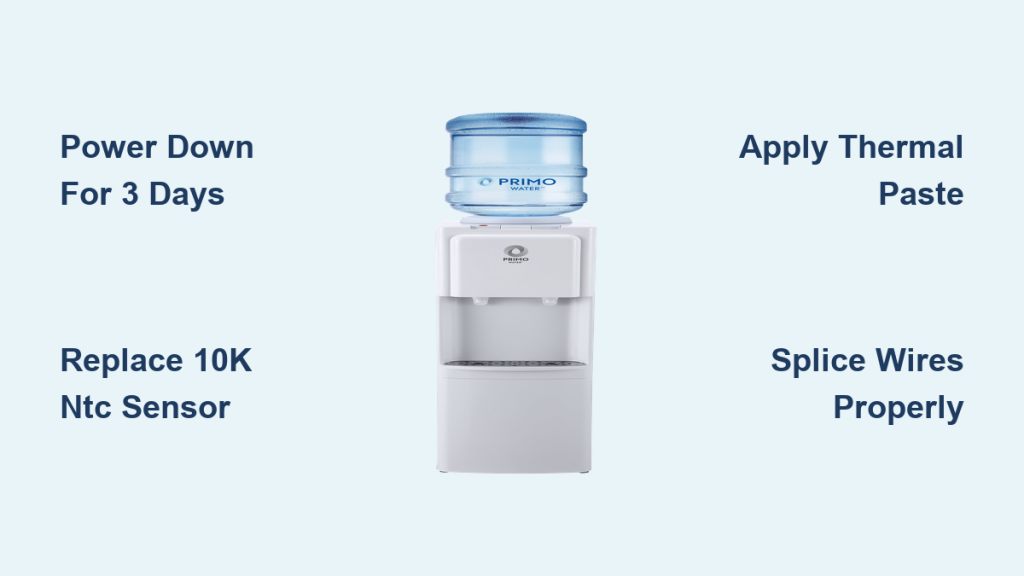
You press the cold water button on your Primo unit, but nothing comes out except a faint click. The hot and room temperature functions work perfectly, yet the cold side remains completely dead. This specific issue where a Primo water dispenser not dispensing cold water is a widespread problem affecting units that are roughly 18 to 24 months old.
The root cause is rarely a broken compressor or pump failure. In almost every case, a faulty temperature sensor causes the internal reservoir to freeze solid. This guide explains how to diagnose the ice blockage and replace the inexpensive sensor probe to restore full function without buying a new machine.
Confirm Frozen Reservoir with Power-Down Test
Before you take any tools to the unit, you must verify that ice is blocking the water line. This simple test distinguishes between a mechanical blockage and a sensor failure. Skipping this step might lead to unnecessary disassembly if the unit simply needs time to thaw.
How to Perform the 3-Day Thaw
- Turn off the cooling switch on the back panel or unplug the unit entirely.
- Let the dispenser sit without power for 3 to 5 full days.
- Plug it back in and attempt to dispense cold water immediately.
If water flows freely after this waiting period, your reservoir was frozen due to a malfunctioning sensor. If no water comes out even after thawing, you may have a mechanical blockage or solenoid failure, though this is rare. Ice forms deep inside the reservoir, so shorter thaw times often leave residual ice that re-freezes once cooling resumes.
Diagnose Faulty Temperature Sensor Probe

Once you confirm the ice blockage, you need to identify the true culprit behind the failure. The 10K NTC temperature sensor probe is responsible for monitoring water temperature and signaling the control board. When this small component fails, it sends incorrect data that causes the compressor to run nonstop.
Why the Sensor Fails
- Inaccurate Readings: The sensor may read the water as warmer than it actually is, causing the compressor to run indefinitely and freeze the reservoir.
- Safety Lockout: Alternatively, the sensor becomes encased in ice and reads roughly 32.9°F. The system interprets this as a fault and disables the cold water solenoid to prevent damage.
Check for Grease and Poor Contact
Many factory-installed sensors are coated in lithium grease or lack proper thermal paste. This lubricant acts as an insulator over time, slowing the thermal response and leading to overcooling. Look for white greasy residue on the probe tip or ice buildup around the sensor housing during your inspection. These signs indicate the sensor needs replacement and proper reinstallation with thermal conductive paste.
Gather Required Tools and Replacement Parts
You do not need to be a certified technician to perform this repair. Most homeowners can complete this task using common household tools and parts that cost under $15 total. Buying the correct parts beforehand ensures a smooth repair process.
Essential Replacement Parts
- 10K NTC Sensor Probe: Look for a waterproof stainless steel probe with a blue plug. These cost between $3 and $5 individually or about $10 for a five-pack.
- Thermal Conductive Paste: You need high-heat, non-electrically conductive paste to ensure accurate readings. A small tube costs around $5.
Pro Tip: Purchase a five-pack of sensors. They are identical across most Primo and Avalon models. Keeping spares allows you to fix future failures instantly for pennies.
Tools You Will Need
- Phillips screwdriver number 2
- Wire cutters or a sharp knife
- Wire strippers
- Electrical tape
- Packing tape or foil tape
- Multimeter for optional resistance testing
Step-by-Step Repair Guide for Cold Water
Follow these sequential steps to replace the sensor and restore your cold water function. Take your time with the wiring to ensure a safe and lasting connection.
Unplug and Remove Top Panel
- Unplug the dispenser from the wall outlet to ensure safety.
- Remove the two Phillips screws securing the top lid.
- Lift the lid firmly. It uses a lip latch, so a snapping sound is normal.
- Remove the four plastic clips securing the upper housing if present.
Warning: Never remove the small red cap near the reservoir. This is a hot water drain that releases scalding water under pressure if opened.
Access Internal Reservoir and Shielding
- Remove the four screws from the back panel of the unit.
- Disconnect any retaining clips holding the cover in place.
- Gently pull the back cover away to expose the control board and reservoir.
- Unscrew the four screws on the small black plastic shield covering the board.
- Carefully remove the shield to access the internal wiring.
Cut Insulation to Reach Sensor
- Locate the styrofoam insulation surrounding the water reservoir.
- Use a knife or wire cutters to slice through the tape sealing the foam halves.
- Peel back the foam to expose the sensor well and the probe.
- Trace the two black wires from the control board to the probe location.
Look for a stainless steel probe with a blue plug on the control board. The red connector usually belongs to the hot tank sensor, so ensure you are working on the correct component.
Remove Old Sensor and Prepare New One
- Disconnect the blue plug from the control board gently.
- Pull the old probe out by the wire if it is frozen in place.
- Cut the old probe off, leaving the existing wire length intact for splicing.
- Apply thermal paste to the tip of the new probe, covering the entire sensing area.
- Cut the connector off the new probe to match the length of your existing wires.
Splice and Insulate Wires Properly
- Strip about one inch of insulation from both the new and existing wires.
- Twist one silver conductor from the new probe to one from the dispenser wire.
- Fold the twisted joint in half and twist again for a tight mechanical bond.
- Repeat the process for the second pair of conductors.
- Wrap each individual connection tightly with electrical tape.
- Tape both wires together to provide strain relief and prevent pulling.
NTC sensors are not polarized, so the wire order does not matter, but keeping it consistent helps avoid confusion.
Reinstall Components and Seal Unit
Proper reassembly ensures the unit maintains its thermal efficiency and protects the new sensor from air leaks.
Insert New Probe and Seal Well
- Push the pasted probe firmly into the original thermal well hole.
- Ensure the probe is fully seated deep within the well.
- Reinforce the entry point with packing tape if the original gray seal does not stick.
Restore Insulation and Reassemble
- Realign the styrofoam halves and seal them with foil or packing tape.
- Secure the sensor wire to the foam with tape to avoid tension on the splice.
- Reinstall the black plastic cover and secure it with its four screws.
- Replace the back panel, ensuring all rubber grommets are in place.
- Snap the top lid back on and secure it with the two Phillips screws.
Test and Validate the Repair
After reassembly, you must test the unit to confirm the Primo water dispenser not dispensing cold water issue is resolved.
Power Up and Monitor Performance
- Plug the unit back into the electrical outlet.
- Listen for the compressor to run briefly and then cycle off.
- Watch the cold indicator light, which should turn off after one to two hours.
Wait at least 20 hours before testing cold water if the reservoir was previously frozen. This ensures complete thawing and temperature stabilization throughout the system.
Final Checks for Success
- Dispense cold water to verify strong flow.
- Check that the temperature is approximately 45°F.
- Confirm hot and room temperature functions still work.
- Listen for normal compressor cycling every few hours.
If the cold light stays on or the compressor runs nonstop, recheck your sensor connection and wire splice integrity.
Prevent Future Cold Water Failures
This repair can last for years if you take steps to prevent recurrence. Understanding the environmental factors helps maintain your unit.
Avoid Cold Ambient Environments
Do not place your dispenser in garages, near air conditioning vents, or in drafty hallways. Cool room temperatures increase the risk of freezing, especially if the sensor response lags slightly.
Reapply Thermal Paste on Future Repairs
Never install a sensor without thermal conductive paste. Air gaps cause delays in temperature readings that lead to overcooling. This single step ensures fast and accurate thermal transfer.
Monitor Winter Performance
Check cold water flow weekly during colder months. If the compressor runs louder or longer than usual, investigate the issue early. Consider turning off the cooling switch during extended absences to save energy and prevent freezing.
Repair vs Replace Decision Guide
Deciding whether to repair or replace your unit often comes down to cost and waste.
| Factor | Repair | Replace |
|---|---|---|
| Cost | $10 to $20 | $150 to $300+ |
| Time | 45 to 60 minutes | 5 minutes setup |
| Waste | Minimal | Whole unit discarded |
| Lifespan Gain | Adds 2 to 3+ years | Starts at zero |
Most failures occur just after the one-year warranty expires, making repair the smart financial choice.
Safety Warnings and Critical Notes
Safety is paramount when working with electrical appliances and water.
- Always unplug the unit before disassembly to prevent shock.
- Never puncture copper refrigerant lines, as damage renders the unit unrepairable.
- Avoid the red cap near the reservoir, as it releases boiling water.
- Double-insulate all wire splices to prevent short circuits.
If the problem returns, check the sensor resistance with a multimeter. It should read approximately 10,000 ohms at room temperature.
Frequently Asked Questions About Primo Cold Water Issues
Why is my Primo water dispenser not dispensing cold water but hot water works?
This symptom indicates a frozen reservoir caused by a faulty temperature sensor. The hot water system operates independently, so it remains functional while the cold side freezes due to continuous compressor operation.
How long does it take to fix a Primo dispenser cold water issue?
The actual repair takes about 45 to 60 minutes once you have the parts. However, you must wait 3 to 5 days for the initial thaw or 20 hours after repair for the system to stabilize before full use.
Can I use any temperature sensor for my Primo water dispenser?
You must use a 10K NTC temperature sensor probe. Generic probes with these specifications and a blue plug connector are compatible with most Primo and Avalon models.
What happens if I do not use thermal paste on the new sensor?
Skipping thermal paste creates air gaps that insulate the sensor. This causes lag in temperature readings, leading the compressor to overcool the water and freeze the reservoir again.
Is it worth repairing an old Primo water dispenser?
Yes, because the repair costs under $20 compared to $150+ for a new unit. Since the compressor is usually fine, replacing the $3 sensor extends the appliance life significantly.
Where can I find the model number on my Primo dispenser?
Check the back panel or the bottom of the unit for a sticker listing the model number. Common models experiencing this issue include the 61256 and 601242, which share components with Avalon dispensers.
Key Takeaways for Fixing Primo Water Dispenser Not Dispensing Cold Water
A Primo water dispenser not dispensing cold water is almost always a fixable sensor issue rather than a fatal mechanical failure. By replacing the faulty 10K NTC temperature probe and applying thermal paste, you can restore full function for under $20. This simple repair saves money and reduces waste compared to buying a new unit.
Start by performing the power-down test to confirm ice blockage, then follow the step-by-step guide to replace the sensor. With basic tools and about an hour of work, you can enjoy cold water again without the hassle of a service call or replacement purchase.